
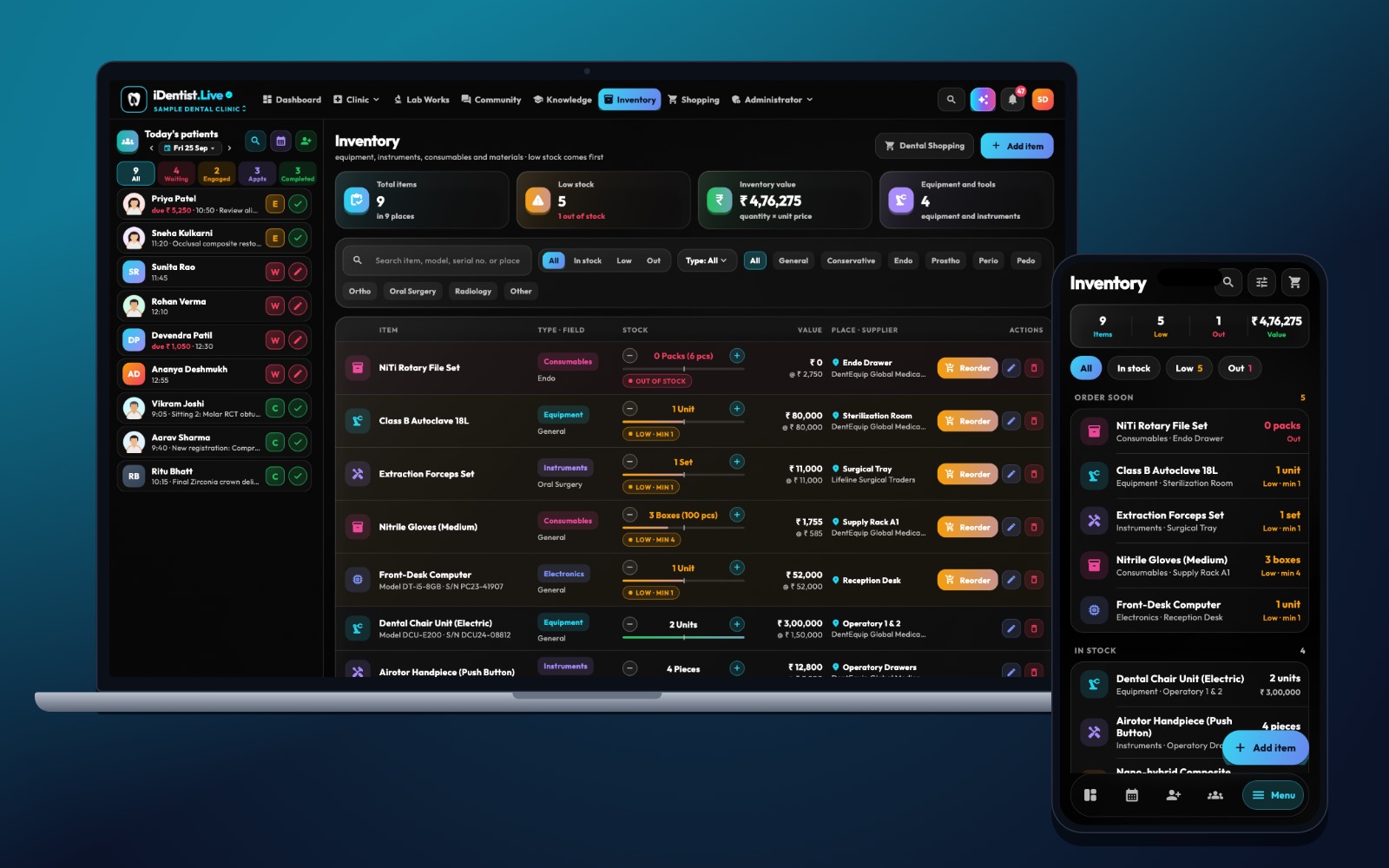
Your stock room should be as easy to understand as the day’s appointment book. iDentist.Live puts item counts, clinical needs and supplier orders in one clinic workspace, so your assistant knows what to check before the next procedure.
Give every shade and size its own item, check deliveries before accepting them, use the item that expires first, set reorder points from real use, and count a few items every week.
A full store room can still stop a procedure
A clinic can have a full store room and still be unable to start a treatment — because the right composite shade, size, batch or sterile item is missing. So stock control must work at the level the dentist actually picks an item, not a broad group like “composite”.
Each item’s record should show its expiry, how to store it, the supplier and the last physical count.
Five habits for reliable stock
- Give every variant its own item. Each shade, size and pack gets its own code and unit. Record the maker, batch, expiry, storage needs and an approved alternative. A box and a single cartridge must not share one count.
- Check every delivery. Match it with the order and the invoice. Check packaging, expiry and storage needs before accepting. Keep damaged or short-dated goods aside and note the supplier’s answer.
- Use the first-expiring item first. Keep the expiry visible on the shelf and in the app. “Oldest first” can fail when a new batch expires sooner than an old one.
- Set reorder points from real use. Work out how much you use while waiting for delivery, then add a safety margin. Check critical items, like anaesthetic cartridges and key burs, more often.
- Count a few items every week. Look into differences: unrecorded chairside use, breakage, returns or unit mix-ups. Record waste separately from use so you see real demand.
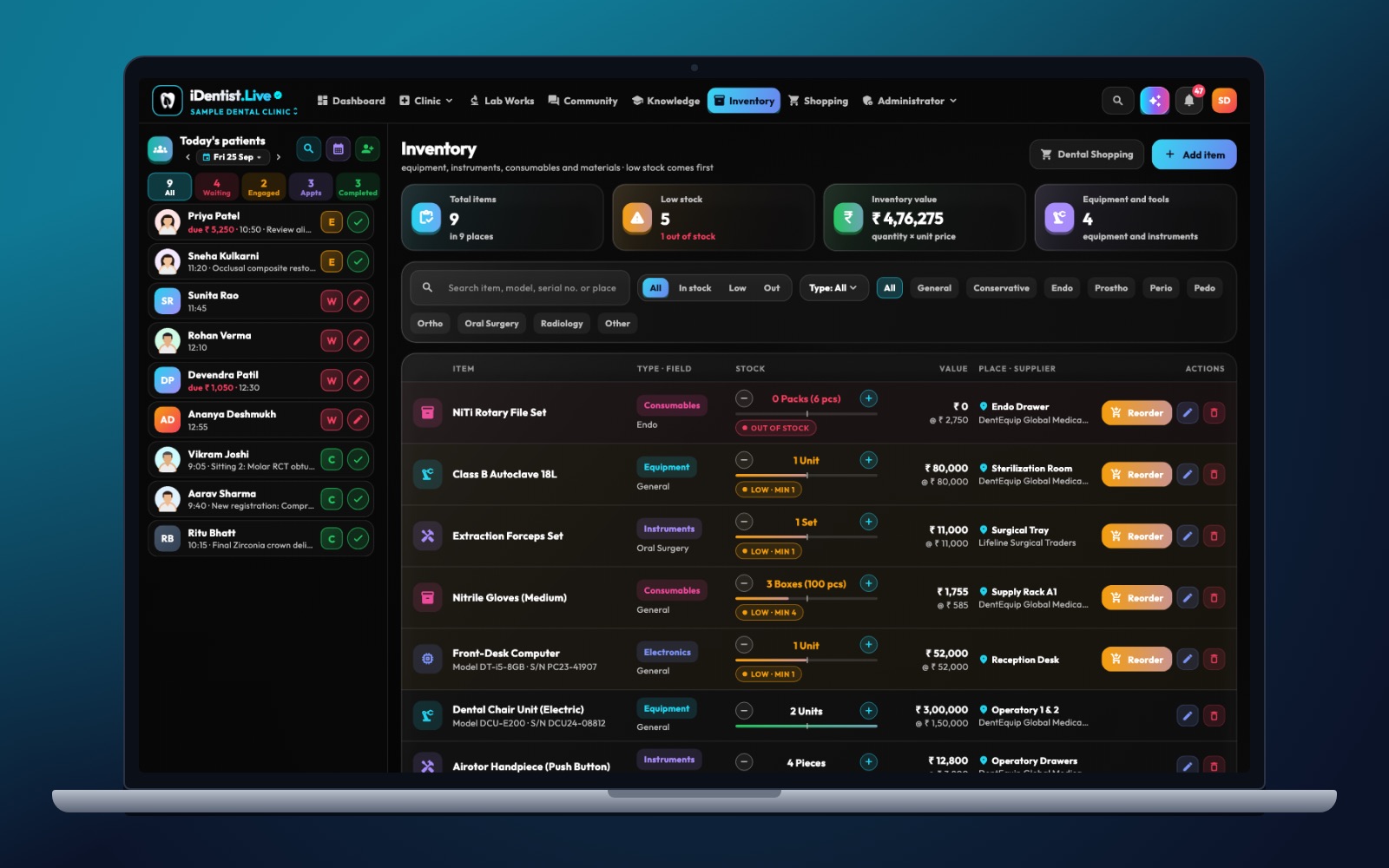
The real iDentist.Live screen, with demo data — no real patients.
How iDentist.Live helps
In iDentist.Live, your stock sits next to your patients and appointments — not in a separate spreadsheet. The team sees groups like restorative, endodontic, prosthodontic and X-ray materials, gets a clear low-stock alert, and moves to the supplier shop when it is time to reorder. An A2 composite is not the same as every other shade, and a missing bur can stop a chair even when the room looks full.
- See material groups and single items in the same workspace as your day.
- Go from a low-stock alert to a clear supplier order.
- Check purchases against the coming week’s treatments.
- Free, with no limit on items or orders.
A real example
Say you use 20 A2 composite syringes a month and delivery takes a week. A reorder point of five covers a normal week; you may keep more if deliveries are often late. If the app shows 12 but only 8 are on the shelf, find the missing four before ordering again. For a batch that expires in six weeks, check you will really use it — or ask about returning it.
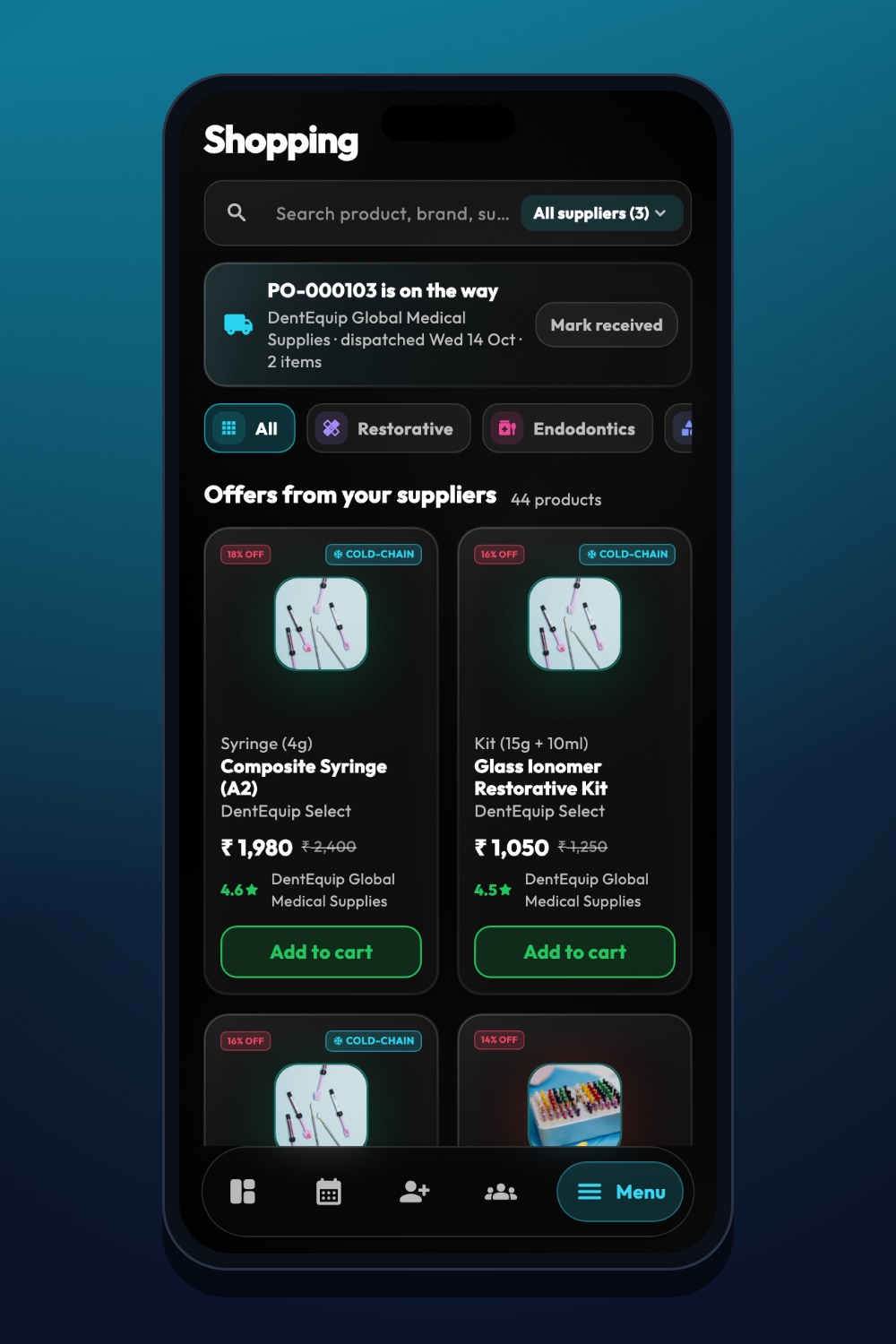
The real iDentist.Live screen, with demo data — no real patients.
Try it in iDentist.Live
Open Inventory in the free demo, pick one material group and compare the list with a quick shelf count. Then open Shopping and see how an order is reviewed. In your real clinic, record the batch, expiry and delivered quantity before marking stock as usable.
What to measure
Count how often you run out each month, the value thrown away for expiry, how accurate your counts are, and how many days of stock you hold. One total stock value cannot show whether you have the right mix.
Avoid these mistakes
Do not use one reorder quantity for everything, do not count a box as a single item, and never treat expired material as usable stock.
Questions people ask
Is “oldest first” enough for dental materials?
Use the first-expiring item first for dated materials, check every batch, and follow the maker’s storage and use-by instructions.
How much stock should a one-chair clinic keep?
There is no single right amount. Base it on your own treatments, usage, delivery times and how much risk of running out you can accept.
Does iDentist.Live warn me when stock is low?
Yes. Stock shows low-stock alerts and links straight to your suppliers’ shop for reordering.