
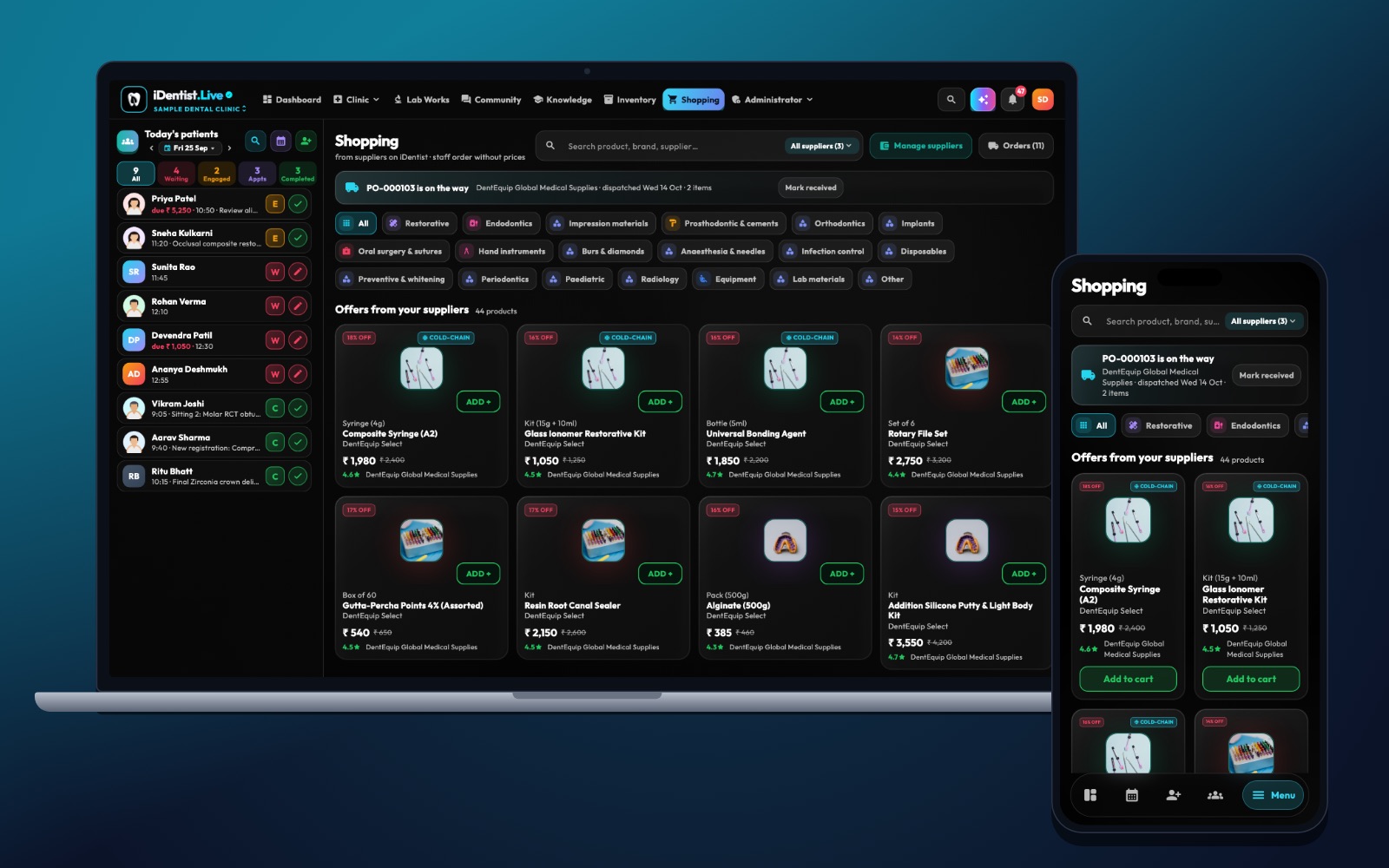
Reordering in one tap is only useful when the item is exactly right. In iDentist.Live, the clinic goes from Inventory to the supplier shop and order tracking in the same workspace — no retyping between a shelf count and a purchase request.
Name every item precisely, work out need from stock, open orders and upcoming treatment, let one person check the order, follow it until delivery, and count it in on arrival.
Fast is good — right is better
A quick reorder is safe only after someone has checked the exact item, quantity, supplier, price and delivery date. Composites, burs, impression materials and anaesthetics differ by shade, size, pack and expiry. The best routine starts with real usage and ends with goods checked in on arrival — not just a submitted cart.
Five steps to safe restocking
- Name items precisely. Each composite shade, bur type and size, and pack unit is its own item. Add a preferred and an acceptable backup supplier, and never swap products silently.
- Work out what you need. Combine usable stock, open orders, coming treatments and delivery time. Flag batches close to expiry before ordering more.
- Check the order. One responsible person confirms quantity, price changes, delivery date, tax and any substitute.
- Follow the order. See when the supplier accepts it, ships part of it, delays it or delivers it. Act early if a critical item will be late.
- Count it in. Count the packs, check packaging, record batch and expiry, and match the invoice. Only then add it to usable stock.
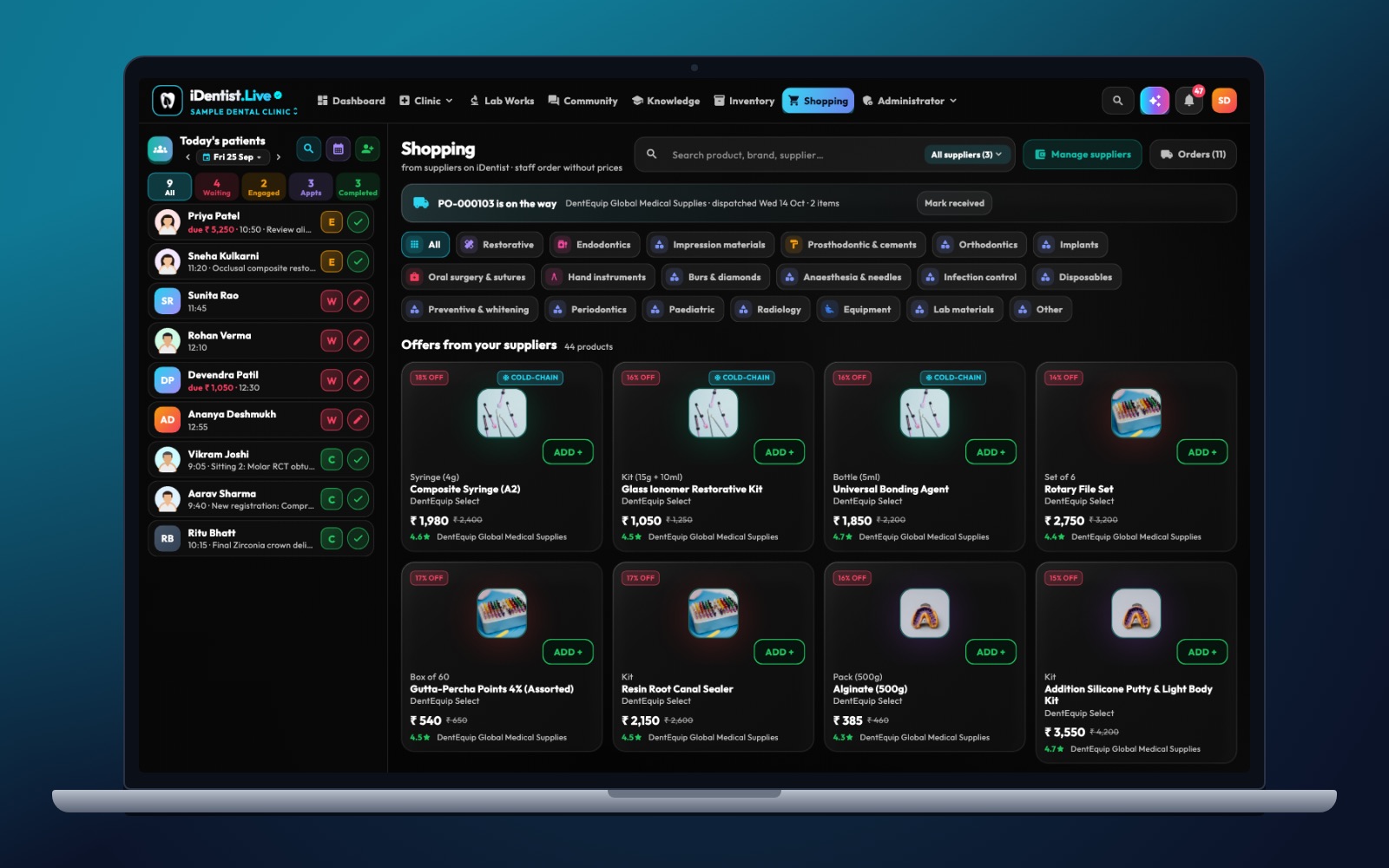
The real iDentist.Live screen, with demo data — no real patients.
How iDentist.Live helps
The clinic sees its material groups and a supplier shop with each supplier’s catalogue, orders and bills. The supplier, on their side, sees the order arrive with its status and their own low-stock alerts. That connection is the promise of iDentist.Live’s free platform: a small clinic does not need a separate ordering tool, and a supplier does not retype orders from chat messages. The check step still matters — shade, size, expiry and pack cannot be guessed from a product name.
- Check stock and open orders before you reorder.
- A precise catalogue cuts wrong-shade and wrong-size orders.
- See the order’s progress after you send it.
- Free for clinics and suppliers, with no order limit.
A real example
The app suggests two packs of A3 composite because the shelf count fell below the reorder point. The assistant sees one open order arriving tomorrow and another batch expiring soon, so she orders less. The supplier confirms dispatch, and the new pack is checked and recorded when it arrives. One tap saved typing; the checks prevented over-buying.
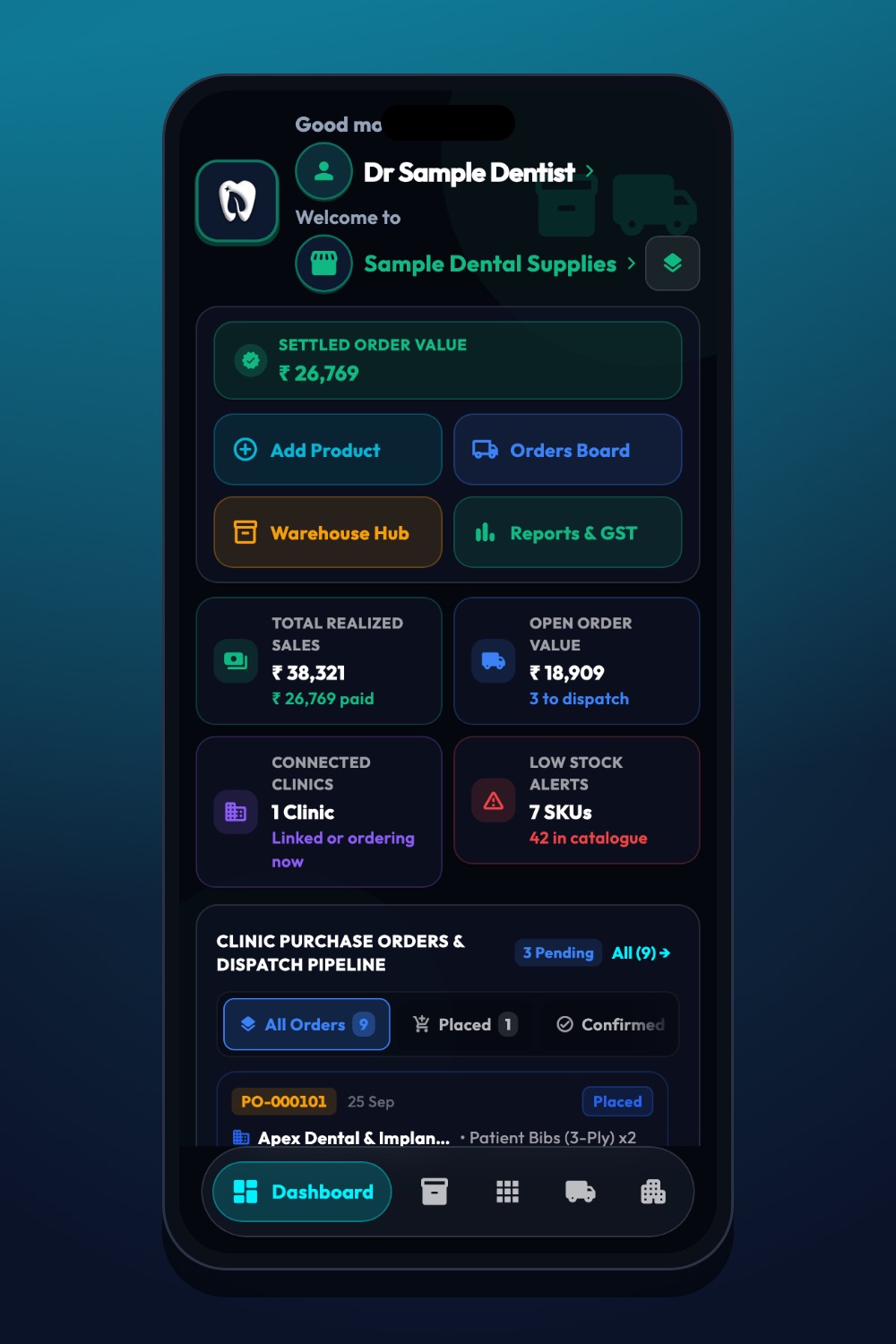
The real iDentist.Live screen, with demo data — no real patients.
Try it in iDentist.Live
In the free demo, look at a composite in Inventory, then find it in Shopping. Compare the item, pack and quantity before sending the order. Then open the supplier view to see where the order is confirmed and packed.
What to measure
Track time spent preparing orders, duplicate orders, running out, short-dated deliveries and order accuracy. A faster tap is not a win if waste or wrong items go up.
Avoid these mistakes
An order is not stock until it arrives and is checked. Never auto-swap clinical materials, and always follow storage instructions. A good system shows problems clearly instead of hiding them behind “ordered”.
Questions people ask
Can every material be reordered automatically?
Only when the item, usage, delivery time and approval rules are reliable. Unusual or high-risk items should be checked by hand.
What should staff check when goods arrive?
Quantity, product and pack, packaging, batch, expiry, storage needs and that it matches the invoice.
Is the supplier shop free for clinics?
Yes. Ordering from your linked suppliers is part of iDentist.Live’s free everyday tools.