
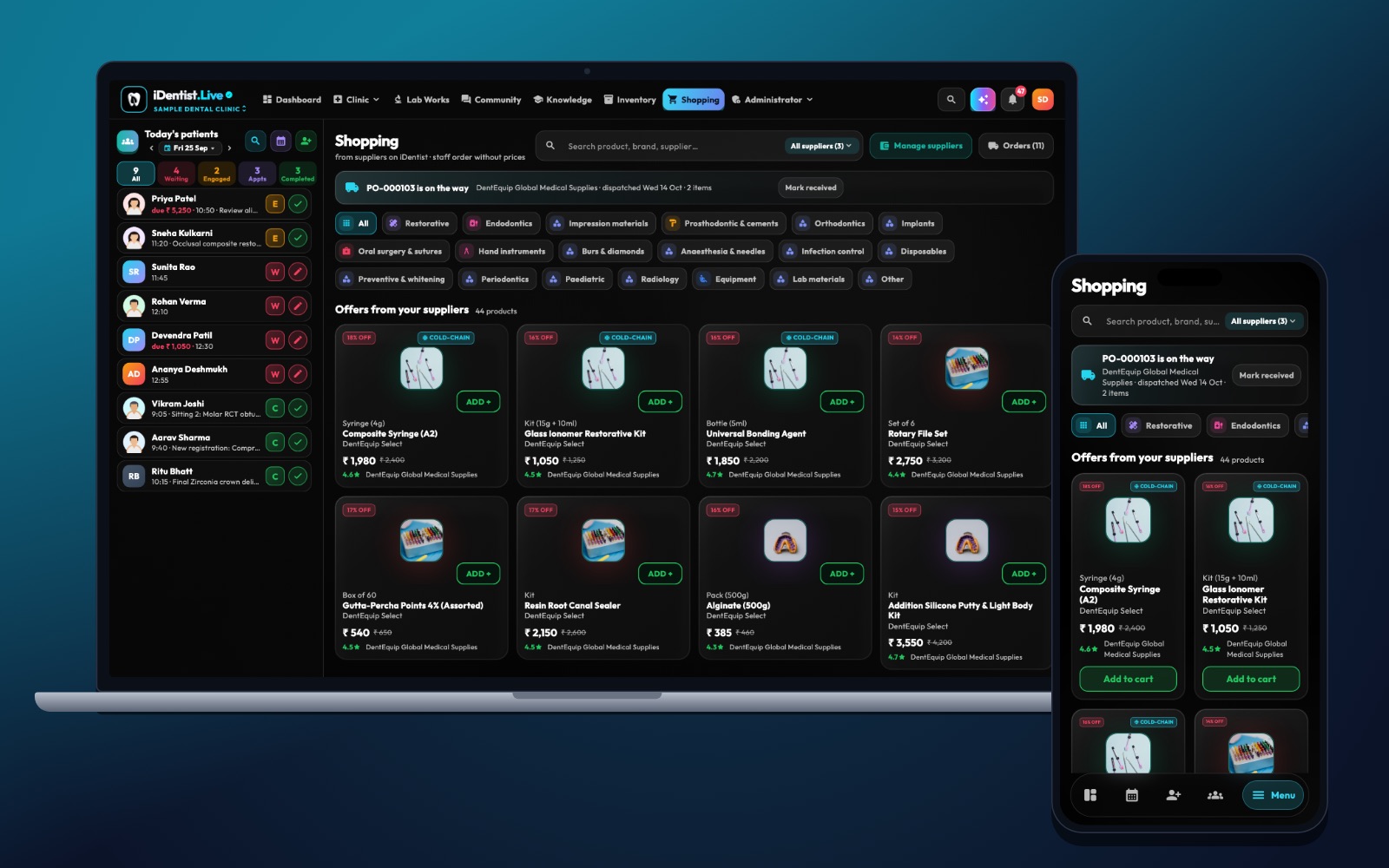
Online dental ordering works when a clinic can order the exact item and the supplier can send it without guessing. iDentist.Live connects the clinic’s Shopping with the supplier’s catalogue, warehouse and order board — in one dental app.
List every product precisely, show your terms clearly, check stock before you accept, track each order to delivery, and close it only when the goods, order and bill match.
More than an online shop
A dental catalogue should let a clinic order the right clinical item with confidence — not just drop a vaguely named product into a cart. The item, unit, batch, expiry, tax, delivery promise and after-sales process all need to line up.
Suppliers also need a clear way to show that something is temporarily unavailable, and to offer a substitute — without changing the clinic’s order on their own.
Five steps to good online ordering
- Build an exact catalogue. For each item: maker, model or material, shade, size, pack, storage, expiry handling and matching accessories. Use photos of the actual item.
- Show your terms. Price, unit, tax where it applies, shipping, minimum order, dispatch time, return rules and how long the price is valid. Keep clinic-specific prices clearly marked.
- Check stock before accepting. If you are short, offer a later delivery or an alternative for the clinic to approve. Never swap an item silently.
- Track every order. Record accepted, picked, packed, dispatched, delivered and any problem. Keep batch and expiry where they matter.
- Close properly. Match the delivered goods to the order and the bill. Make shortages, damage, returns, credit notes and payment status easy to find.
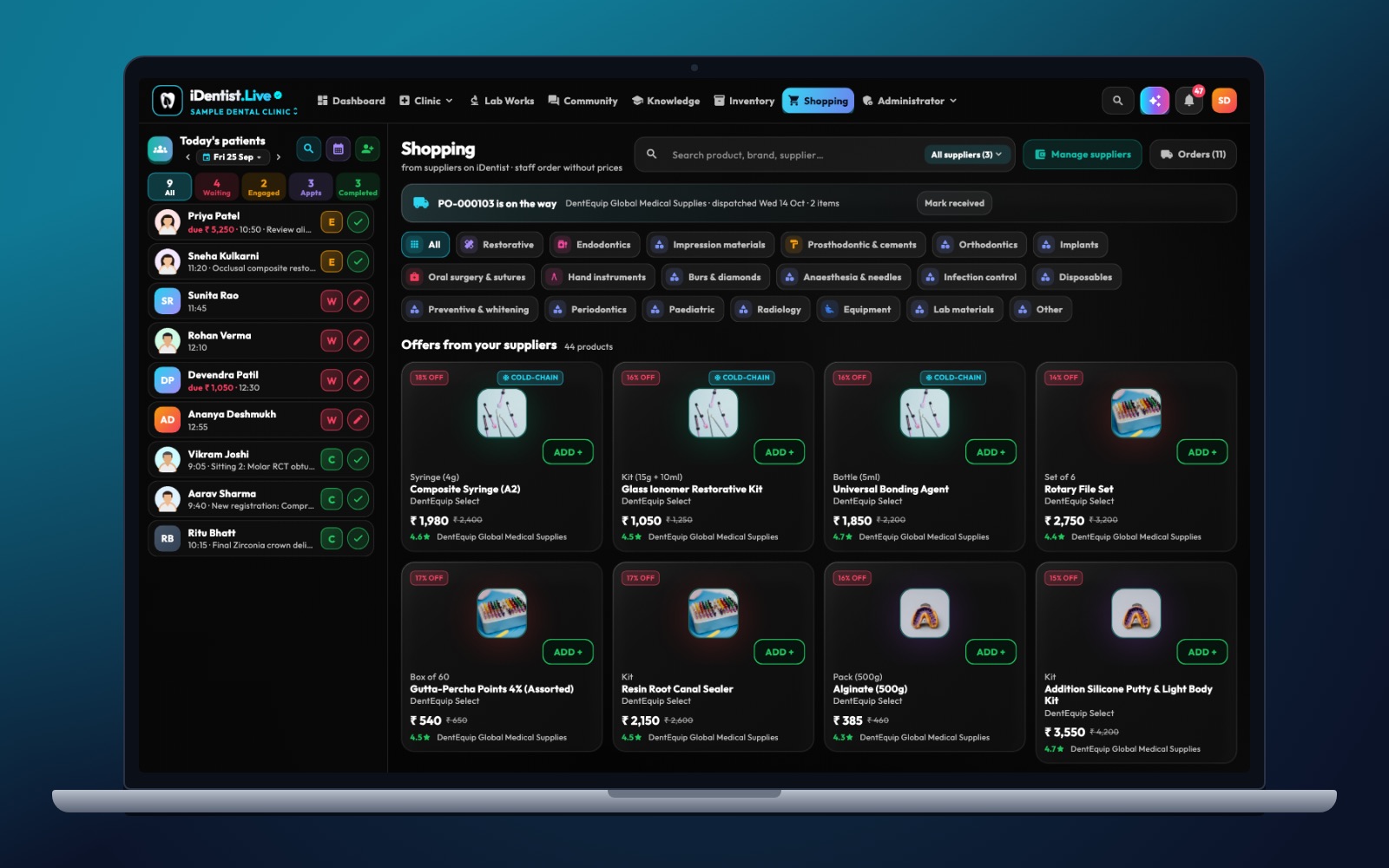
The real iDentist.Live screen, with demo data — no real patients.
How iDentist.Live helps
The supplier dashboard shows open order value, connected clinics, low-stock alerts and the order pipeline. The clinic shops by dental category. Because both sides are in one app, the clinic’s item, the supplier’s product and the order’s progress are discussed in one place.
- Dental categories that match clinical work.
- A supplier board for placed, confirmed, packed and delivered orders.
- Low-stock alerts, so the catalogue never promises what you do not have.
- Free listings and orders, with no order limit.
A real example
A clinic orders ten syringes of A2 composite in a certain pack size. Only six are ready to send, so the supplier offers the other four later. The clinic agrees. Each delivery records the batch and expiry, and the bill shows exactly what arrived. A different shade is never sent just because it is in stock.
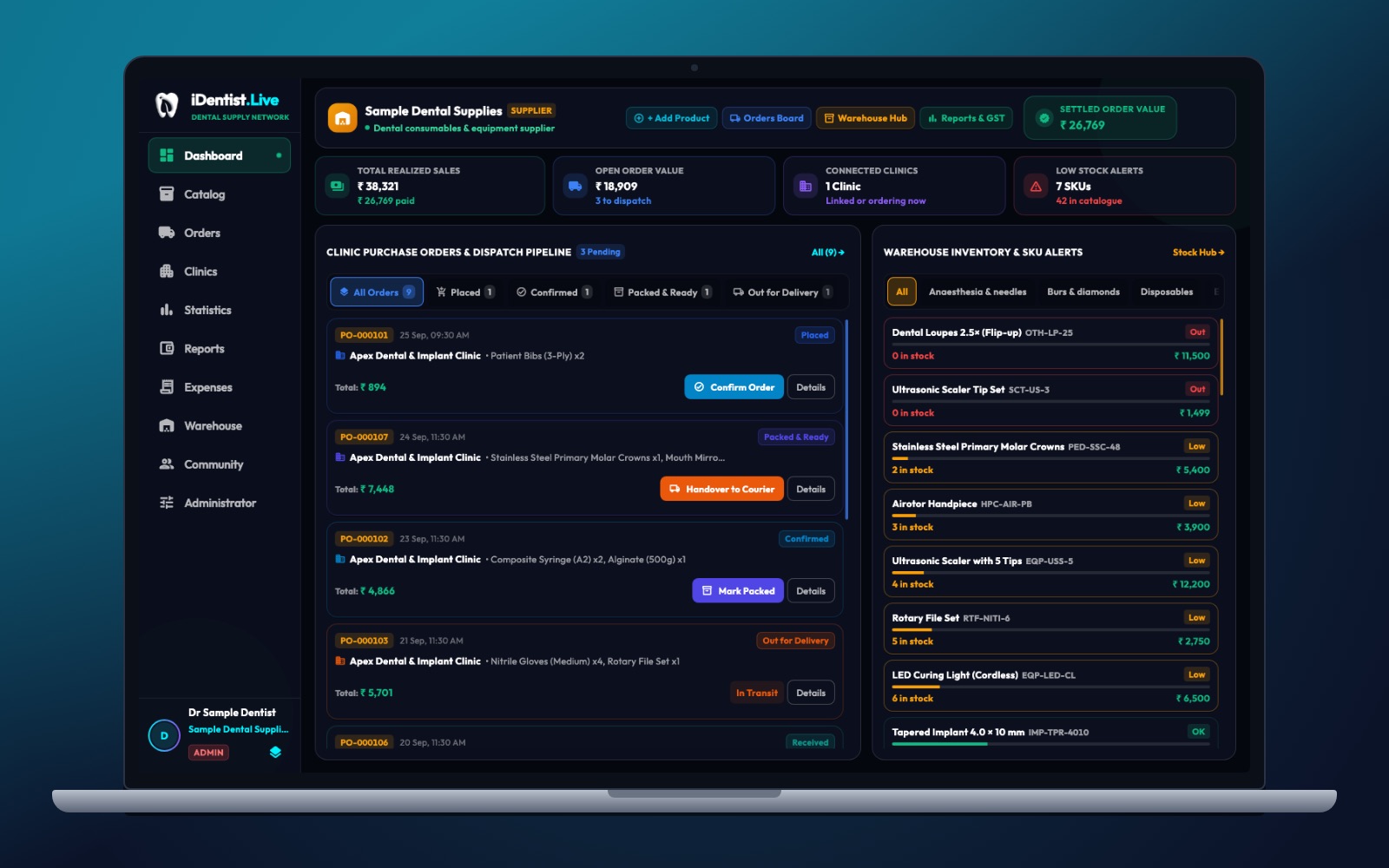
The real iDentist.Live screen, with demo data — no real patients.
Try it in iDentist.Live
In the free demo, open Shopping on the clinic side and the dashboard on the supplier side. Pick a made-up item, check its shade, pack and quantity, and place an example order. Then follow it from the clinic’s request to the supplier’s packing and delivery.
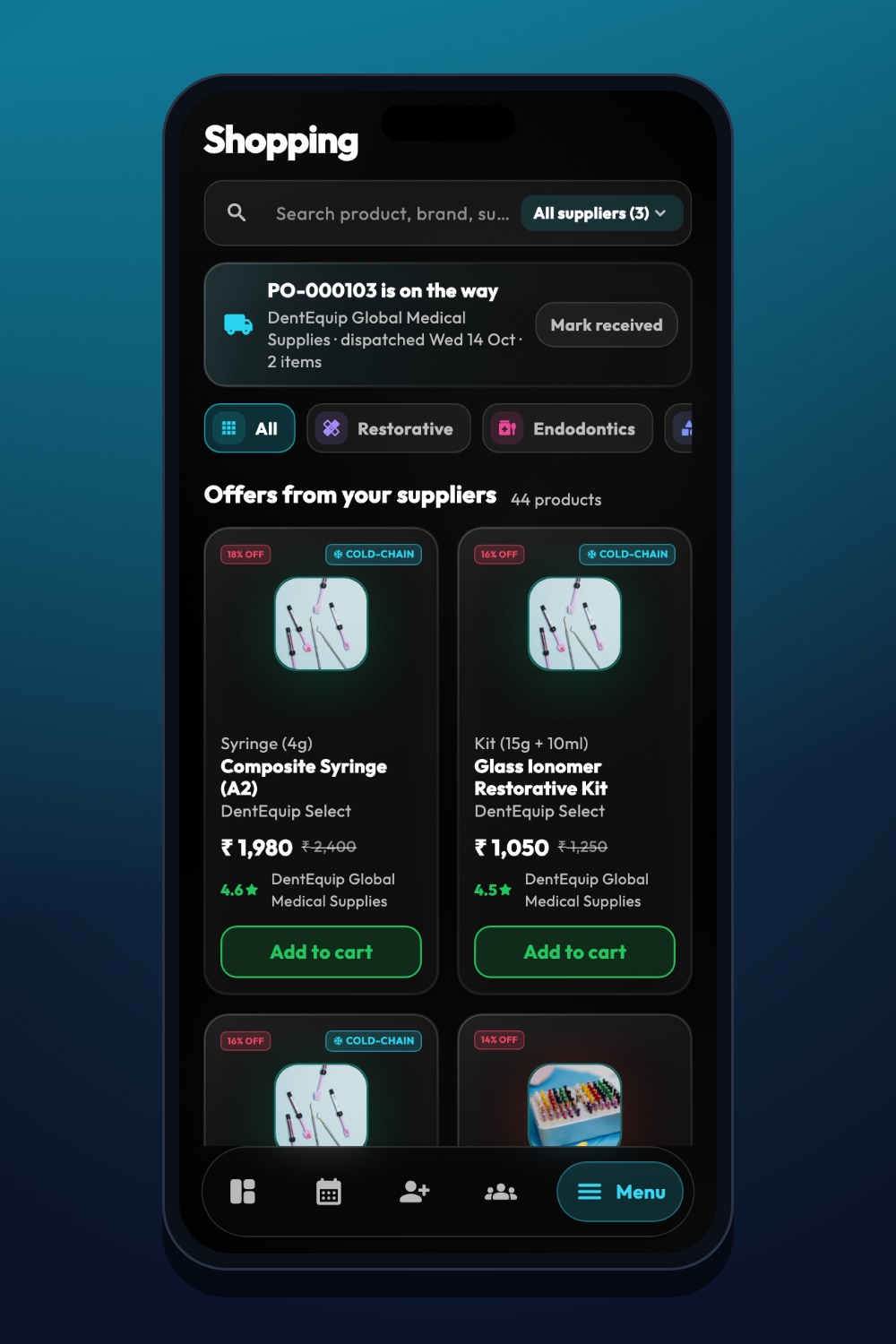
The real iDentist.Live screen, with demo data — no real patients.
What to measure
Track order fill rate, wrong items, stock accuracy, on-time dispatch, damage and returns, and how fast problems are solved. Look at each product group separately — a cheap consumable and a big machine need different handling.
Keep it honest
Do not copy maker claims without checking them, hide the pack size, or assume every product has the same GST rate. A supply order rarely needs any patient details — leave them out.
Questions people ask
What is the most important product detail?
The exact item and unit — supported by shade, size, pack and maker — so the clinic never gets the wrong thing.
Should stock already promised show as “available”?
No. Show only what you can really promise, after orders already accepted.
Do clinics pay to shop?
No. Ordering from suppliers is part of the free clinic workspace.