
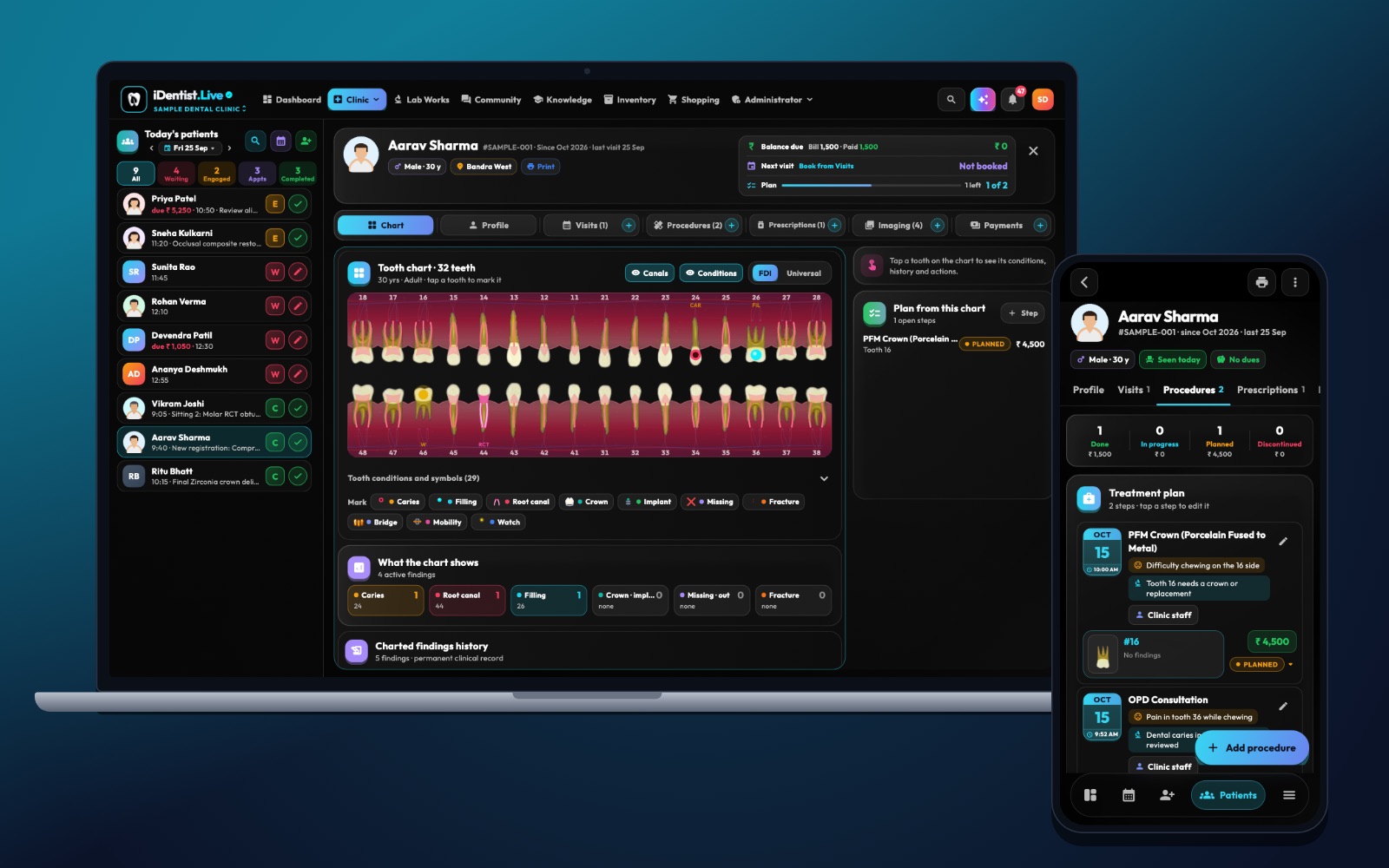
A tooth number on its own says little. The FDI tooth chart (odontogram) becomes really useful when it sits inside the patient’s file, next to the visit notes, the treatment plan and the follow-up. That is how iDentist.Live is built.
Use the FDI two-digit numbers, keep “what is there now”, “what we plan” and “what we did” separate, record the tooth surface, and check the chart at every visit. In iDentist.Live the chart is one tab of the patient file, so every mark stays connected to the full story.
Why a dental chart needs clear rules
A tooth chart only helps when everyone reads the marks the same way, and every mark points to the right tooth and surface. The FDI system gives each tooth a two-digit number. Software then adds the condition, the treatment, the date and the supporting X-ray or photo.
Before you bring in old charts, agree as a team what each mark means: an existing filling, a planned treatment, or treatment that is done. If one colour means all three, mistakes follow.
How to chart, step by step
- Pick the right set of teeth. Adult teeth use quadrants 1 to 4; milk teeth use 5 to 8. The second digit counts from the middle of the mouth. Check left and right on the screen before you start.
- Keep conditions and treatments apart. Decay, missing teeth, fractures and old fillings describe what is there. Planned work goes in the treatment plan. Finished work goes in the visit.
- Record the surface and the proof. For a filling, write the tooth, the surface (like MO or MOD), the material if it matters, and the date. Link the X-ray or photo to that finding. If you are not sure, write that down instead of turning a doubt into a diagnosis.
- Note the unusual cases. Extra teeth, retained roots, mixed dentition and implants may need a short note on top of the tooth number, so referrals and printouts stay clear.
- Check the chart at every visit. Compare it with the examination, earlier notes and X-rays. The app records who changed what and when — especially when a plan becomes “done”.
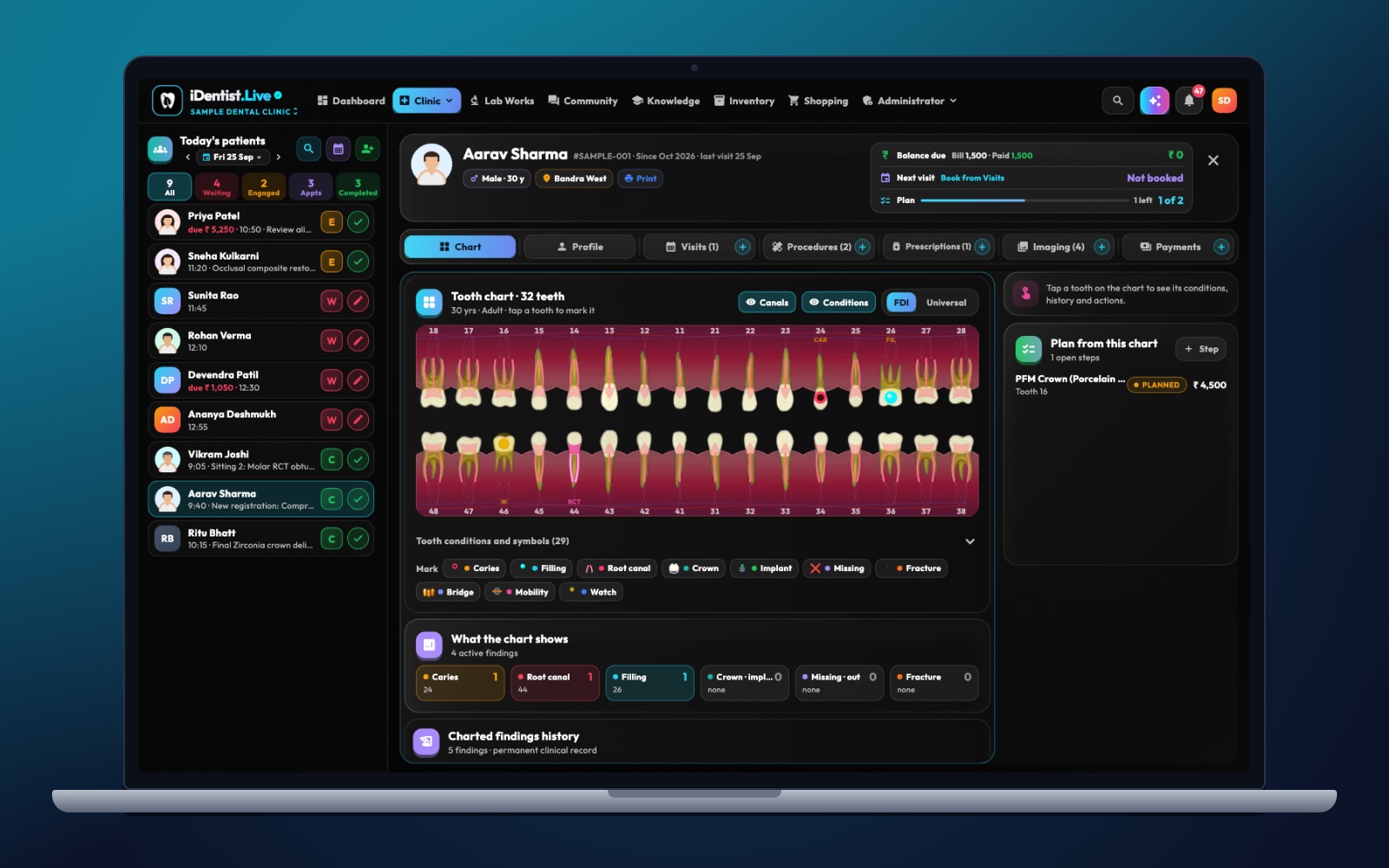
The real iDentist.Live screen, with demo data — no real patients.
How the chart works in iDentist.Live
In iDentist.Live the tooth chart is part of the patient file, not a separate drawing program. Tooth 36 can be discussed in the same place as the patient’s complaint, X-rays, procedures, prescriptions and payments. The chart helps the team move fast and see the same tooth, but it never replaces the dentist’s examination and judgment.
- A numbered FDI map, so dentist and staff look at the same tooth before recording treatment.
- Clear marks for conditions, fillings and planned care, while the note explains the thinking.
- One tab of the patient file — next to visits, procedures, prescriptions, images and payments.
- Patients see a simple “My Teeth” view of what the clinic shares, in the patient portal.
A real example
A patient has an old composite filling on the biting surface of 16, and new decay is suspected on the back surface of 15. The chart should show the 16 filling as existing, the 15 finding as current or suspected (with its X-ray), and any planned treatment separately. If a later X-ray changes the diagnosis, add the new finding and the reason — do not rewrite the past. The printed summary keeps these differences.
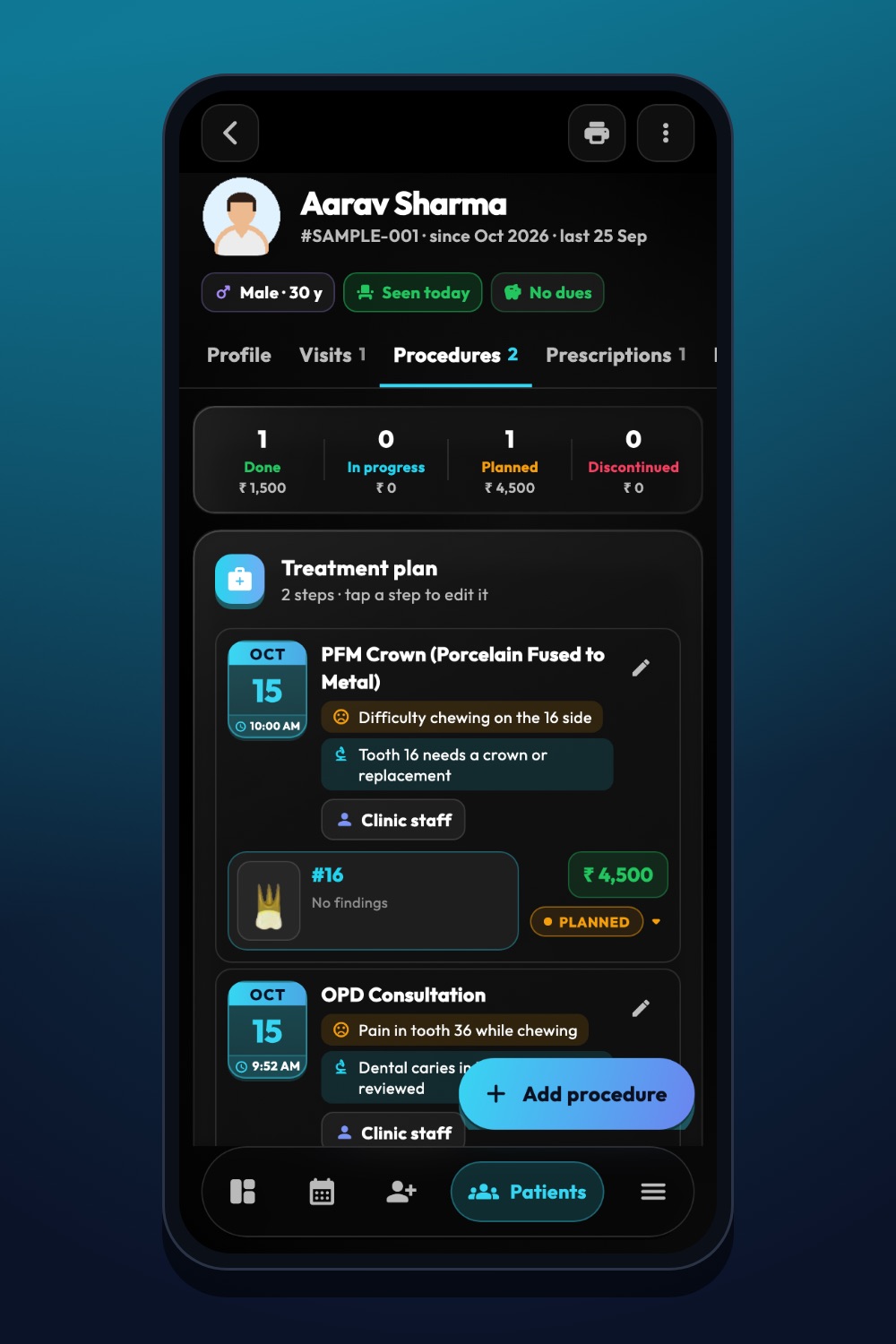
The real iDentist.Live screen, with demo data — no real patients.
Try it in iDentist.Live
Open the free demo on the web, open a patient and go to the chart. Pick a tooth and see how the chart and the other tabs connect. With a real patient: first write down the examination and the evidence, then mark the tooth and surface, then check the note and the plan before the patient leaves the chair.
How to know you are improving
Each week, look at a few records and count: wrong quadrants, missing surfaces, plans marked as done, and charts that do not match the note. A good goal is that the chart and the note always tell the same story.
Keep it safe
Do not assume everyone understands two-digit numbers — say “FDI” on printouts. Do not rely on colour alone, because colours can be hard to see and print badly. And remember: the chart supports the written note, it does not replace it.
The tooth chart, like all everyday tools in iDentist.Live, is free with no limit on patients or records. Optional paid branding (your own web address, hosting, SSL and Google Workspace) is separate.
Questions people ask
Is 16 the upper right first molar?
Yes. In FDI numbering for adult teeth, quadrant 1 is the upper right and position 6 is the first molar.
Does FDI numbering cover milk teeth?
Yes. Milk teeth use quadrants 5 to 8. Pick the right set of teeth before choosing a tooth.
Is the tooth chart free in iDentist.Live?
Yes. The chart and the whole patient file are part of the free everyday tools, with no limit on patients or records.