
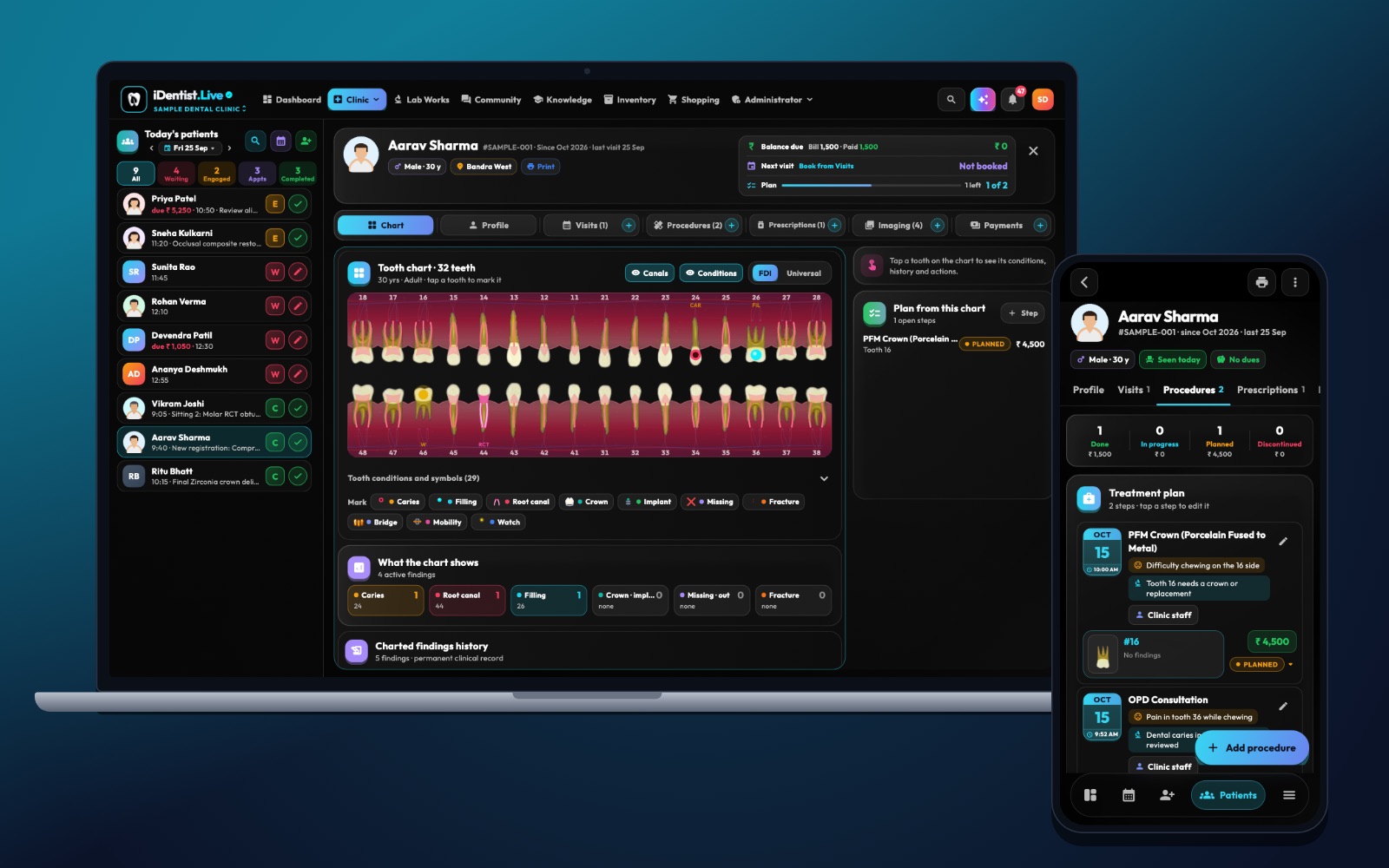
A good practice case makes a student justify every step. iDentist.Live supports that with a knowledge workspace and a demo patient file — so you can practise reasoning without ever confusing a made-up case with a real patient.
Read the case in stages, map findings to the right tooth, set priorities, compare at least two options, and write a short note for your supervisor to check.
Treatment planning is reasoning
A realistic case gives incomplete information, the patient’s wishes and a series of decisions. That turns treatment planning into reasoning, not memory. Students should tell a possible diagnosis from a confirmed one, know what would change the plan, and say when a case needs referral or more experienced hands.
Five steps for a practice case
- Read the case in stages. Start with the patient’s words and medical history. Do not reveal every finding at once — decide what to look for next.
- Map the findings. Use the right FDI tooth, surface and condition. Note where an X-ray or chart is unclear and what still needs examining.
- Set priorities. Deal with pain and safety first, then disease control, then final treatment and maintenance — in an order that fits the patient.
- Compare at least two options. For each: benefits, limits, number of visits, and why it might not suit. Include waiting or no treatment where it makes sense.
- Write a short note. Summarise your reasoning, tests, plan, consent discussion and review. Ask a supervisor to check the note as well as the answer.
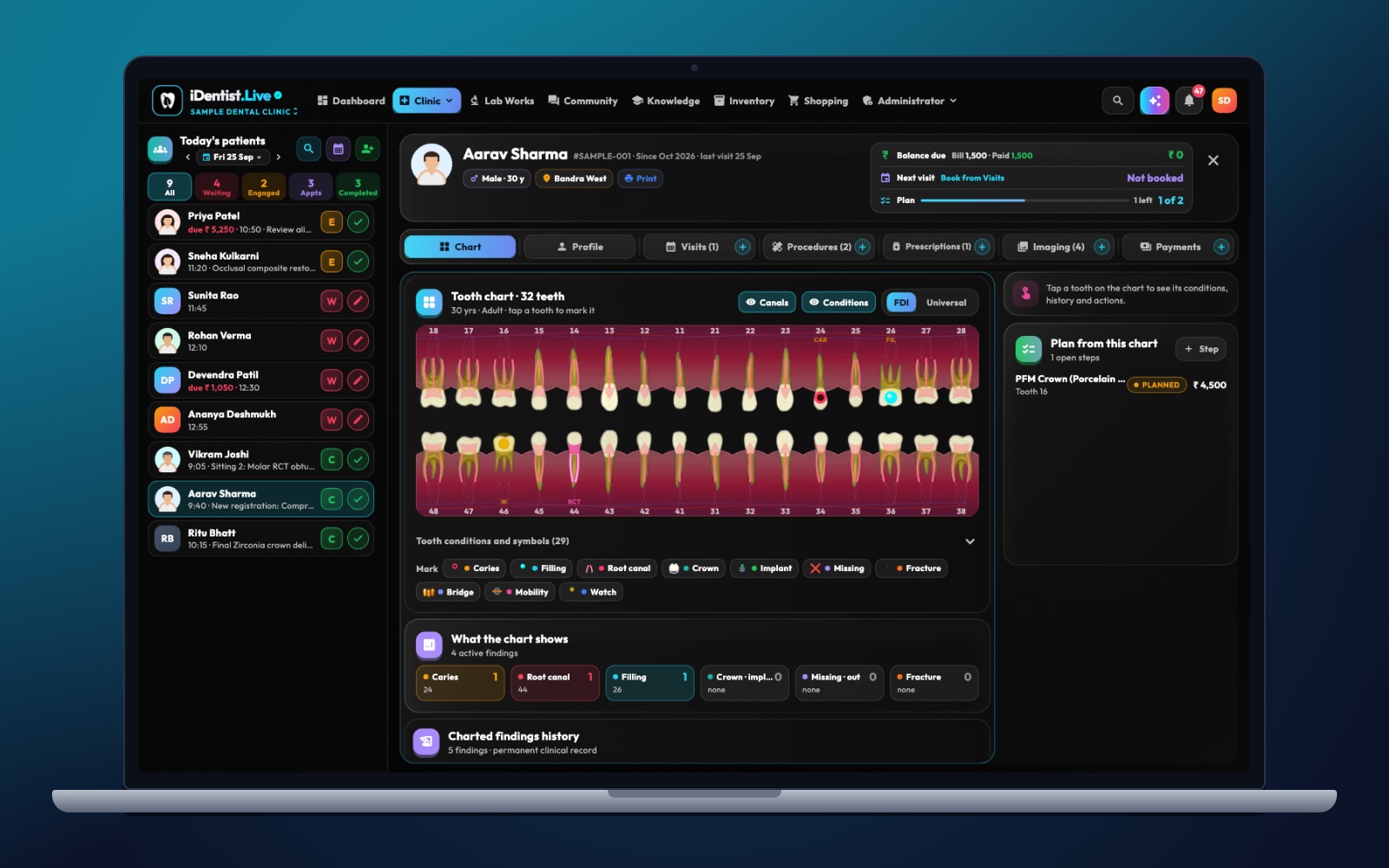
The real iDentist.Live screen, with demo data — no real patients.
How iDentist.Live helps
The student workspace gives you the books and chapters to revise anatomy, pathology and procedures. The clinic demo shows a patient file in a real order: profile, visits, procedures, prescriptions, X-rays and payments. Together they make a good teaching canvas — a teacher can pose a made-up complaint, students list what is still needed, then compare their plan with how a real clinic records it.
- Revise first, then decide — with the library and knowledge base.
- A visual FDI chart gives each discussion a real tooth.
- Practise naming missing evidence before choosing a treatment.
- Free for students and teachers.
A real example
A made-up patient has a broken cusp on tooth 46, sensitivity, little time and an incomplete medical history. The student first clarifies the history and test findings, then compares possible restorations, talks about the risk of waiting and plans a review. The lesson is why each choice follows from the evidence — not whether one final answer matches a key.
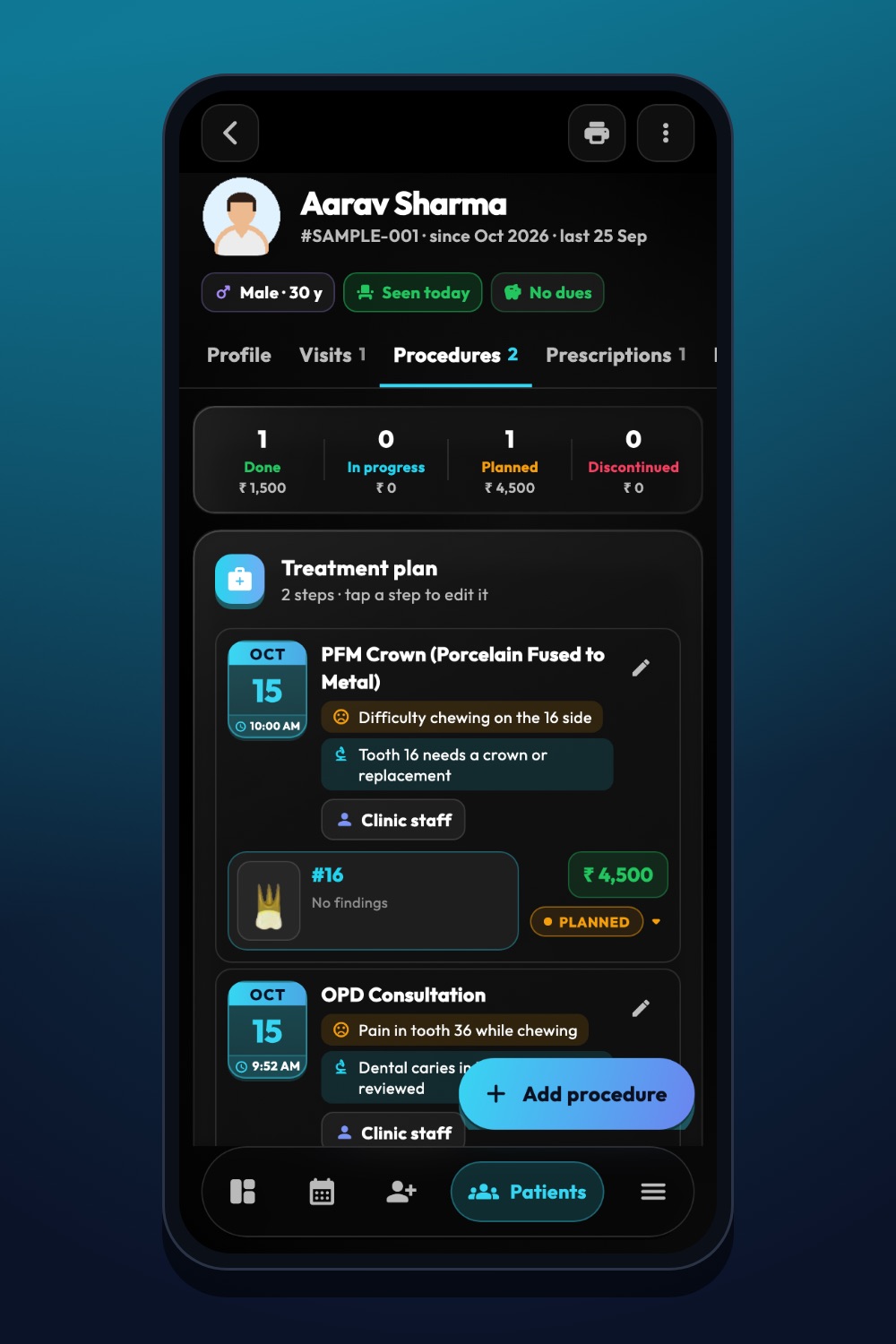
The real iDentist.Live screen, with demo data — no real patients.
Try it in iDentist.Live
Create a made-up case for tooth 46 with pain on biting. List your questions, examination findings and sensible next tests. Use the demo chart to see where a possible finding is recorded. Ask a supervisor to check your reasoning and your patient explanation.
What to measure
Score the case on history, tooth notation, reasoning, patient communication and safety. Compare early and later attempts — a better score only counts if the explanation also improves.
Stay safe
Avoid cases with “one correct treatment” when several are reasonable. Never use a practice case as the basis for a real patient’s diagnosis. Teachers should review and update cases when guidance changes.
Questions people ask
Can a practice case use real X-rays?
Yes, with permission and all identifying details removed, plus the clinical context and its limits.
What makes feedback useful?
It shows which finding mattered, why another path was less suitable, and what to look into next.
Does the demo hold real patients?
No. Every patient in the demo is made up.