
Appointments and chairs in iDentist.Live
See your day chair by chair, book without clashes, and check patients in as they arrive — free forever.
▶ Plays from YouTube when you tap it — Google's privacy terms apply.
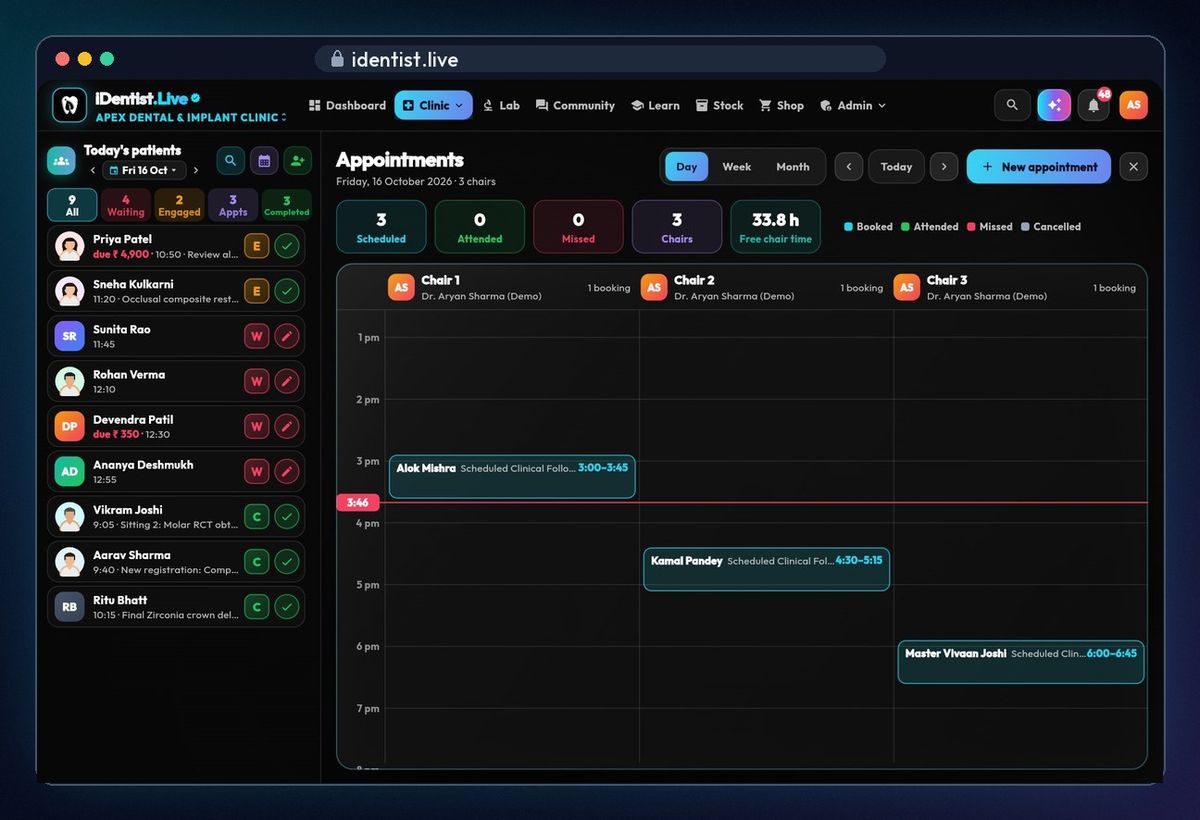
One column per chair
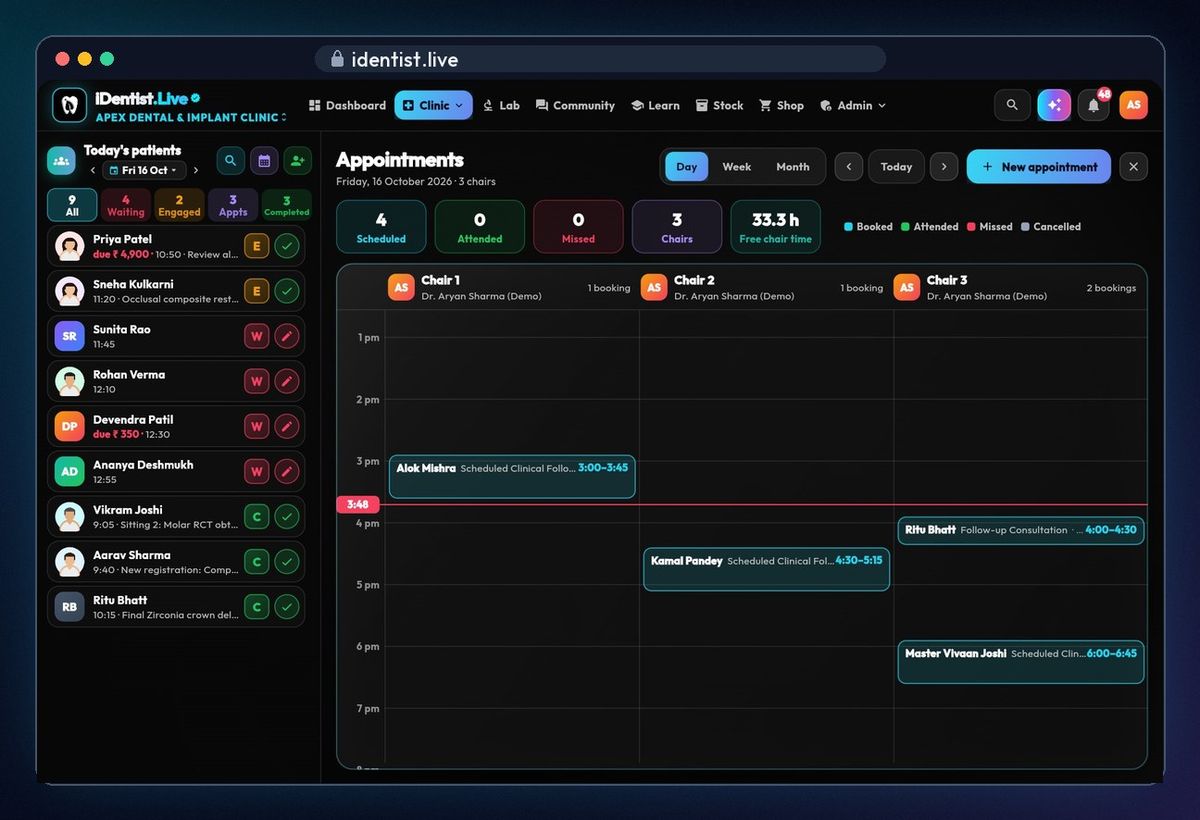
Open Clinic › Appointments. The day view has one column for each chair, with its doctor, and a red line for the time now. Colours show booked, attended, missed and cancelled; the counters show today's bookings and the free chair time left.
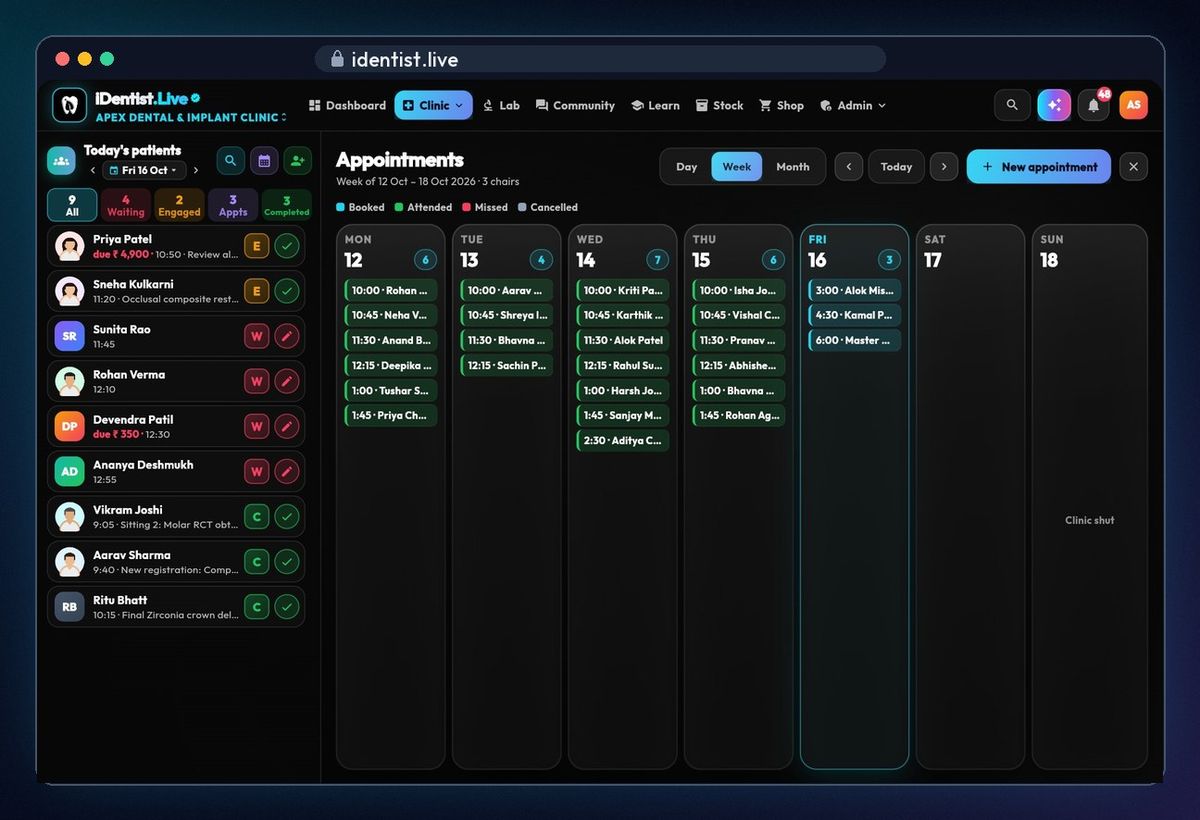
The week
Tap Week to see seven days side by side.
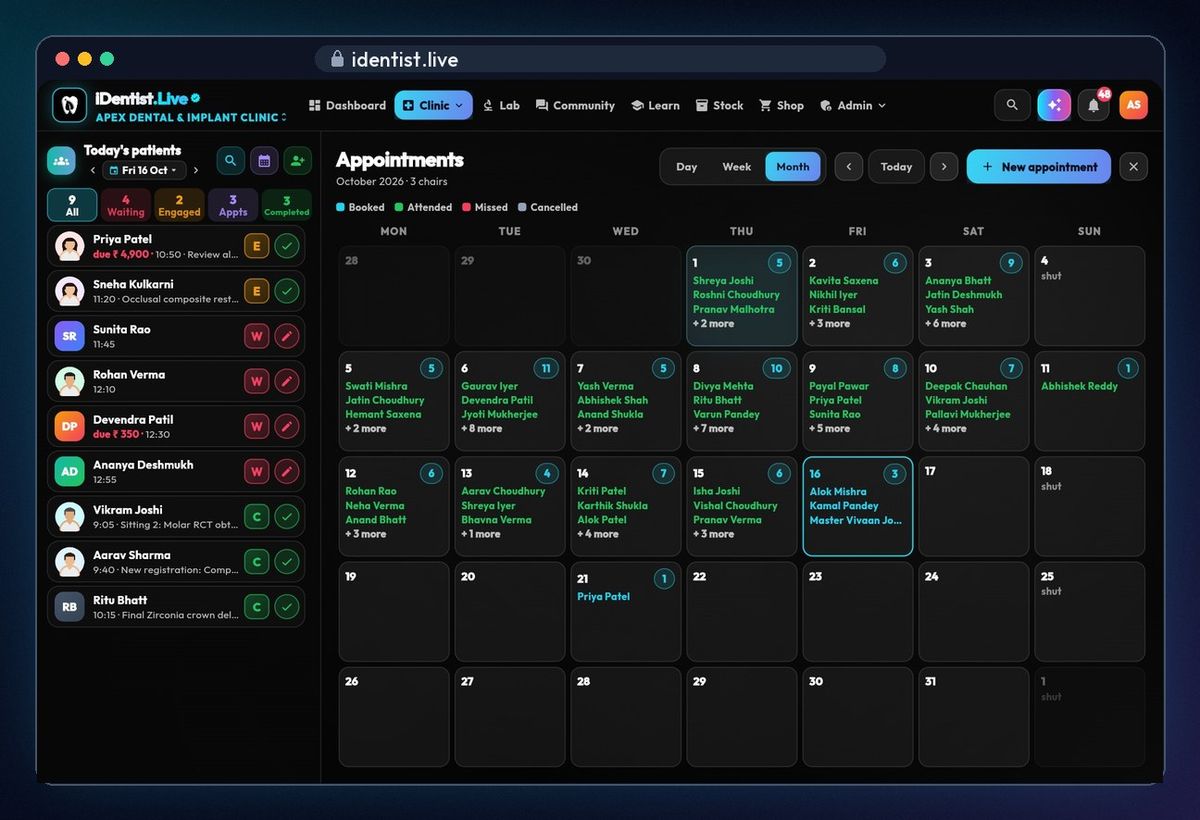
The month
Tap Month for the whole month at a glance, with closed days marked shut.
New appointment
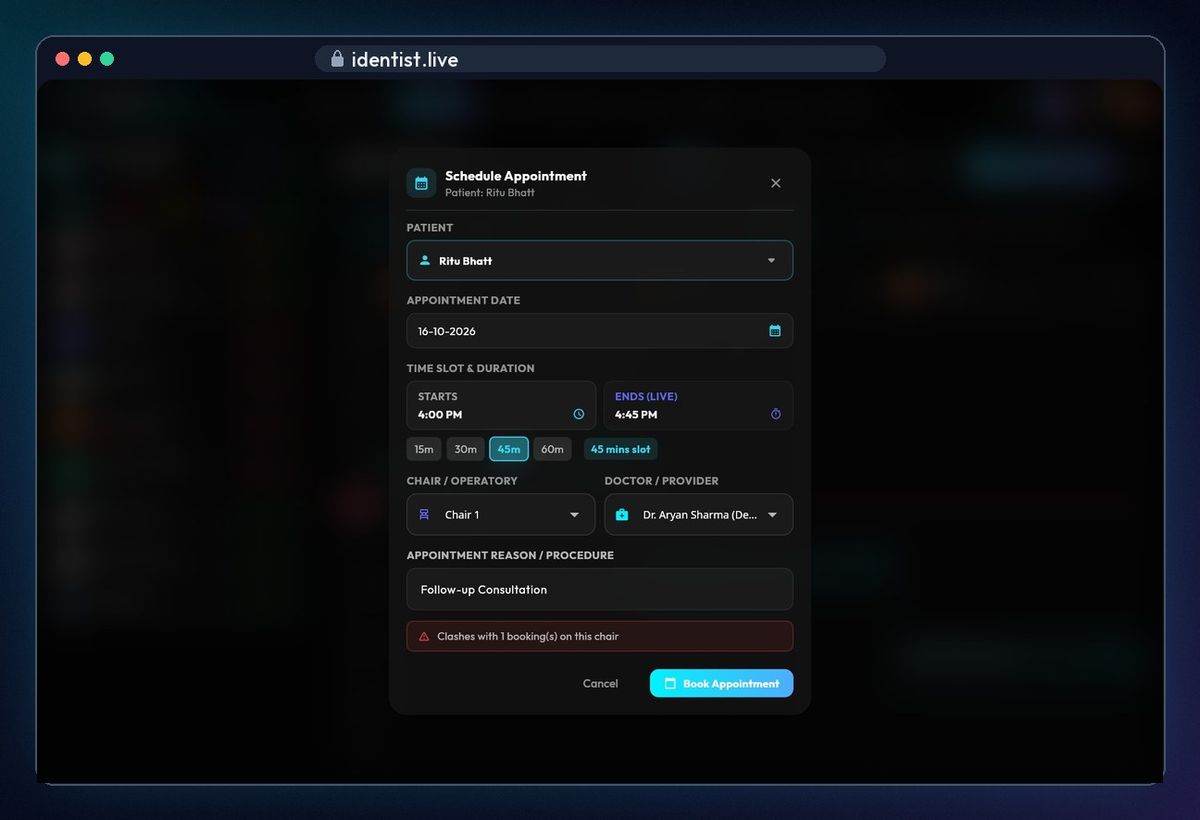
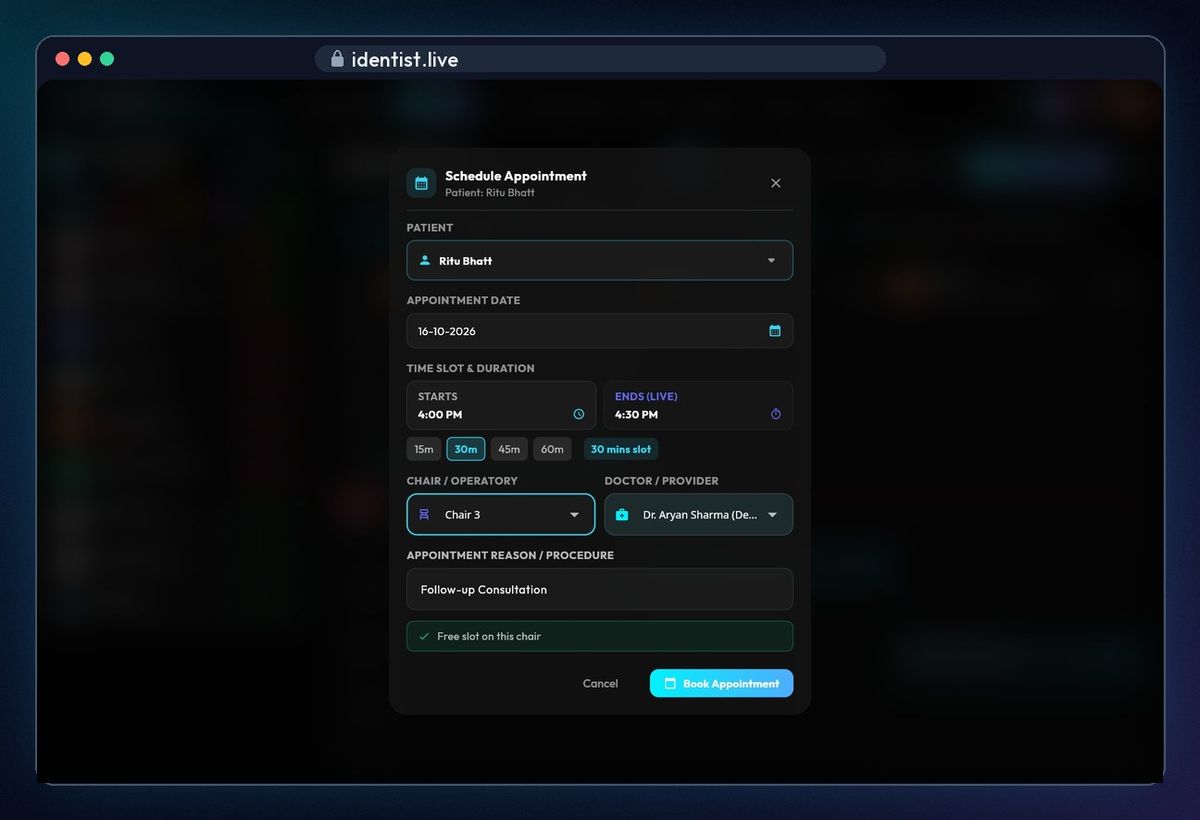
Tap New appointment and pick the patient by name, file number or mobile. Choose the date and start time, then a duration — the end time updates live. The line at the bottom checks the chair and the doctor: red means one of them is already booked then.
A free slot
Change the length or the chair until the line turns green — a free slot. The reason and the doctor are already filled in.
It's in the book
Tap Book appointment. The booking appears in its chair's column at once.
Check in on arrival
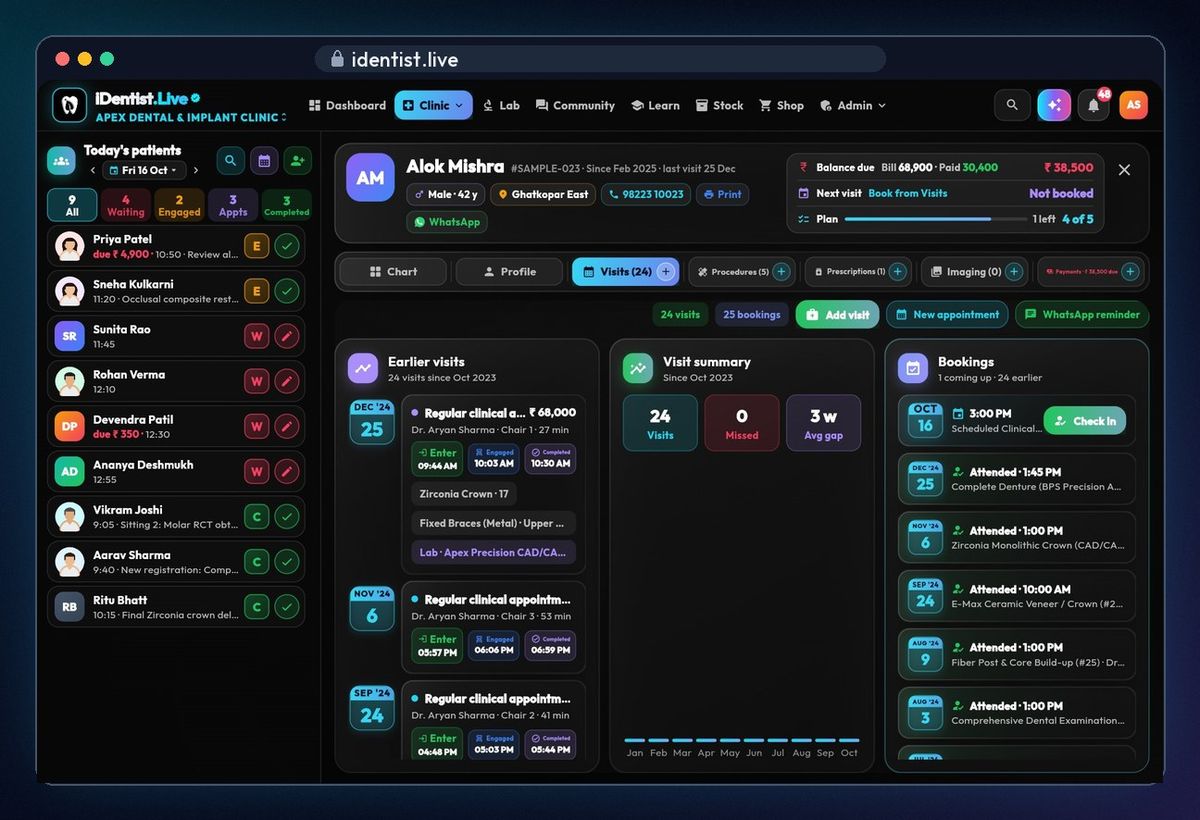
Tap a booking to open the patient's file. Visits › Bookings shows what's coming and every past visit. Tap Check in when the patient arrives; you can also book the next visit or send a WhatsApp reminder.
Who's where today
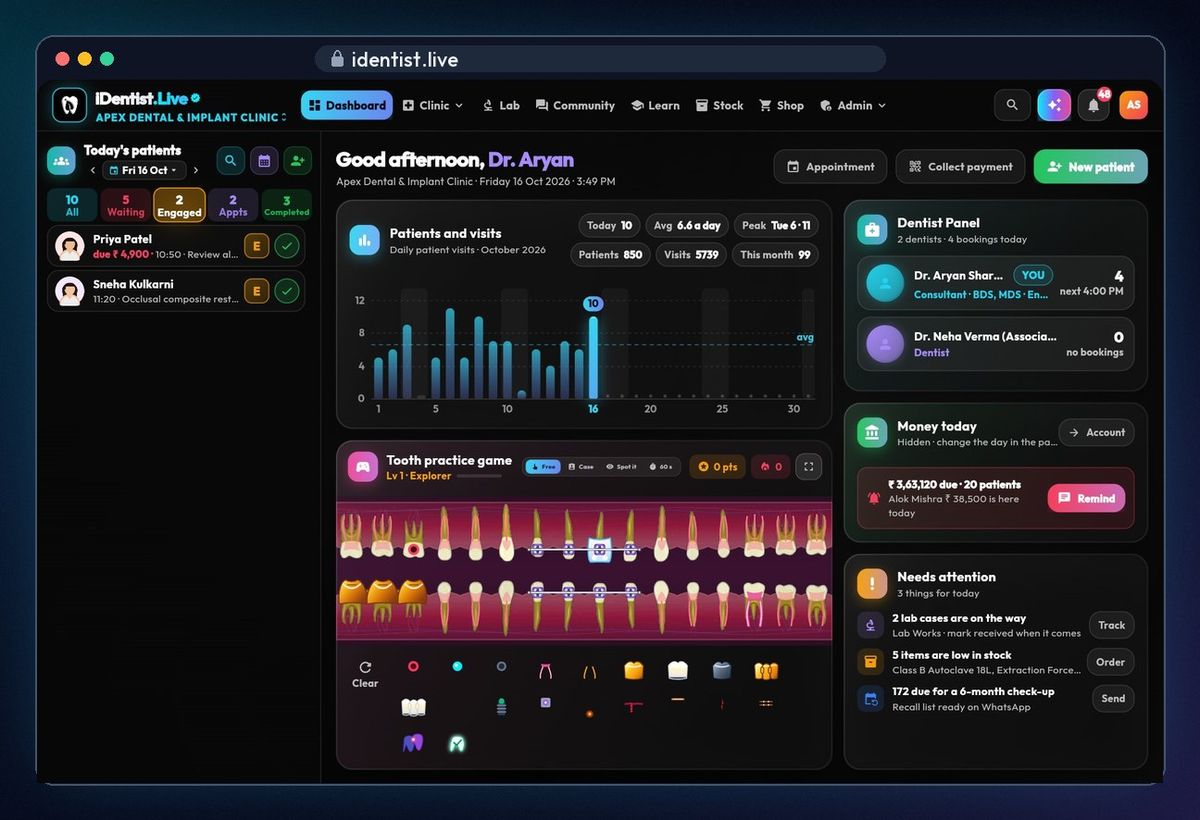
Today's patients on the left show everyone's place in the day: waiting, engaged in the chair, or completed. Tap a group to see just those patients.
Set up your chairs
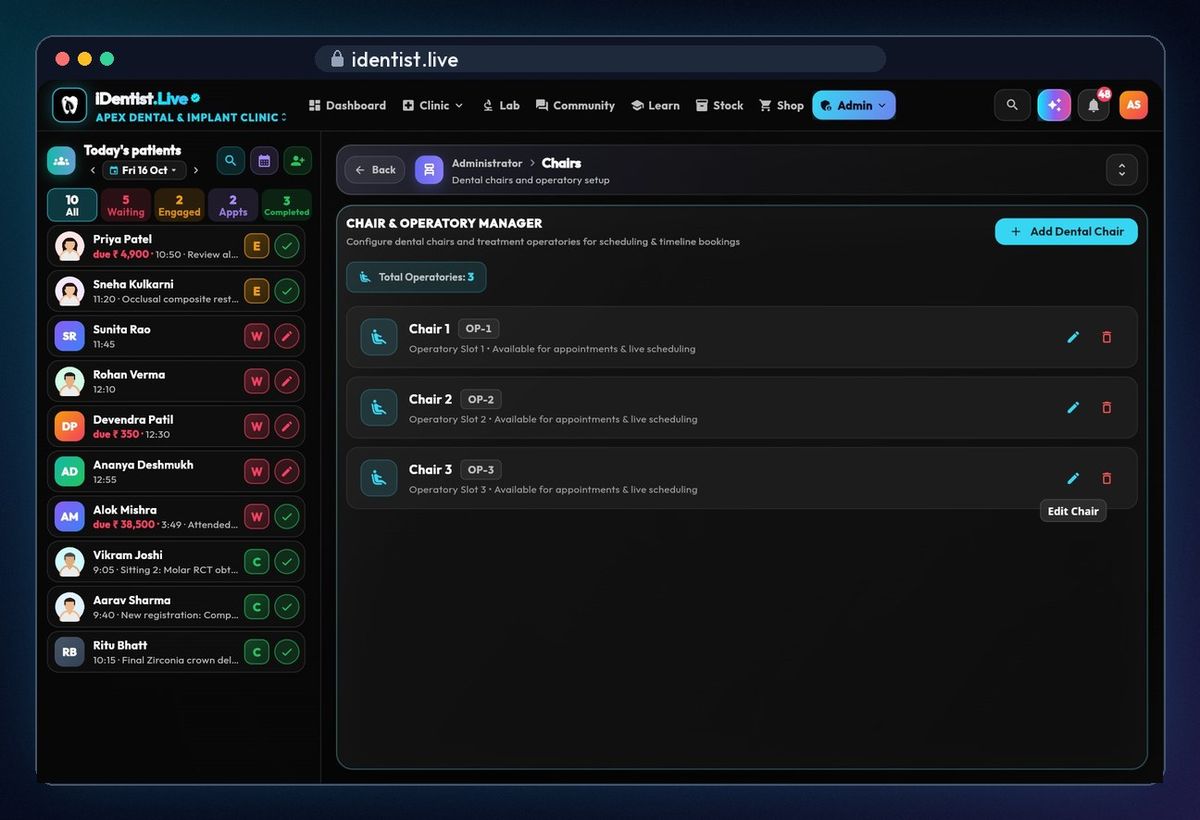
Admin › Settings › Chairs. Each chair is a column in the appointment book. Add a dental chair, rename one or remove it.
If something goes wrong
- Line stays red? Another booking overlaps on that chair or for that doctor — change the time, the length, the chair or the doctor.
- A chair is missing from the day view? Add it under Admin › Settings › Chairs.
- Patient not in the list? Add them first with New patient, then book.
Questions people ask
Can two doctors share one chair?
Yes. Each booking has its own chair and doctor; the clash check looks at both.
Does it work without internet?
Yes. Bookings are saved on your device first and sync by themselves when you're back online.
Is it free?
Yes. The main app is free, and always will be.
More how-to guides
 1:17Use it on the webAny computer, nothing to download
 0:43Install on AndroidPhone or tablet, from Google Play
 5:16The patient fileChart, plan, prescriptions, X-rays, payments
 3:47Bills, GST and UPITake payments and check every rupee
 2:41Lab worksSend a case, every stage live
 1:44Stock and restockingLow stock, counts, reorder