
Bills, GST and UPI payments in iDentist.Live
Set up once, take payments by UPI QR, cash or card, give discounts — and check that every UPI payment really reached your bank.
▶ Plays from YouTube when you tap it — Google's privacy terms apply.
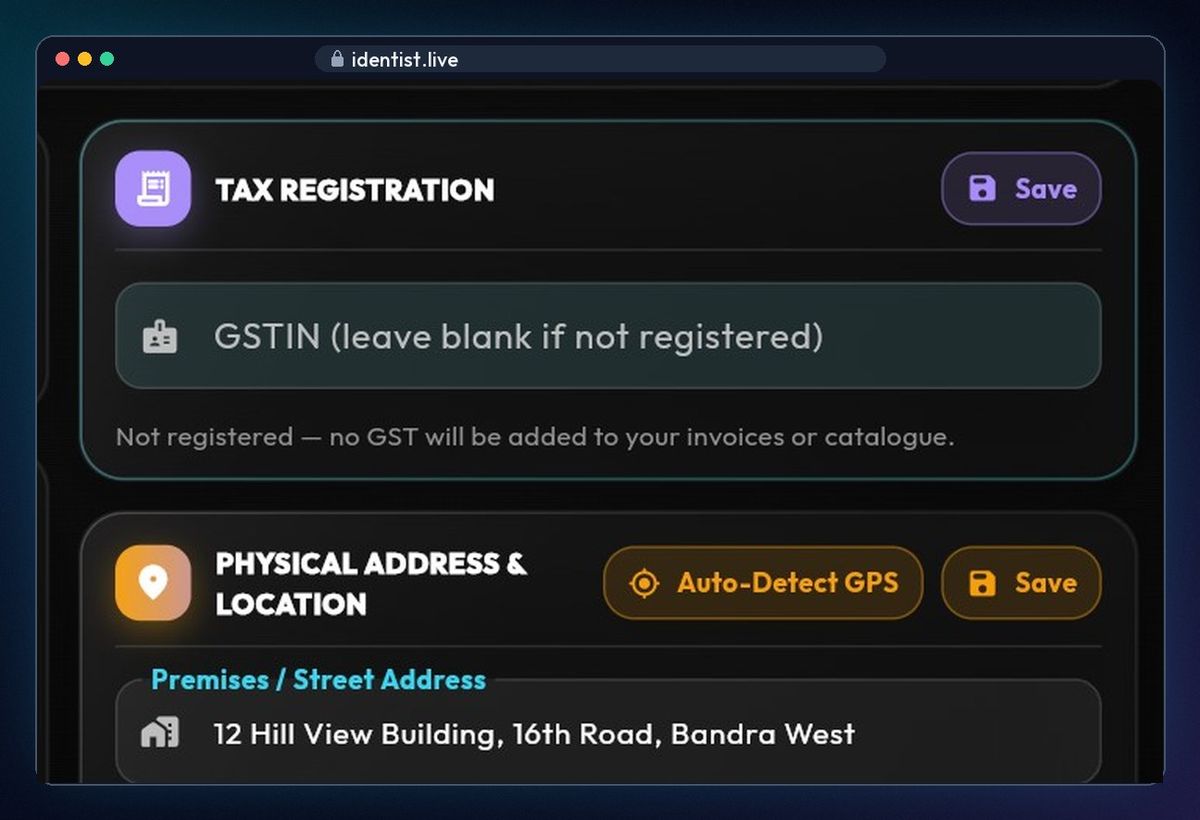
Enter your GSTIN (or leave blank)
Admin › Clinic profile › Tax registration. If you are GST-registered, enter your GSTIN — it prints on your bills. If not, leave it blank and no GST is added.
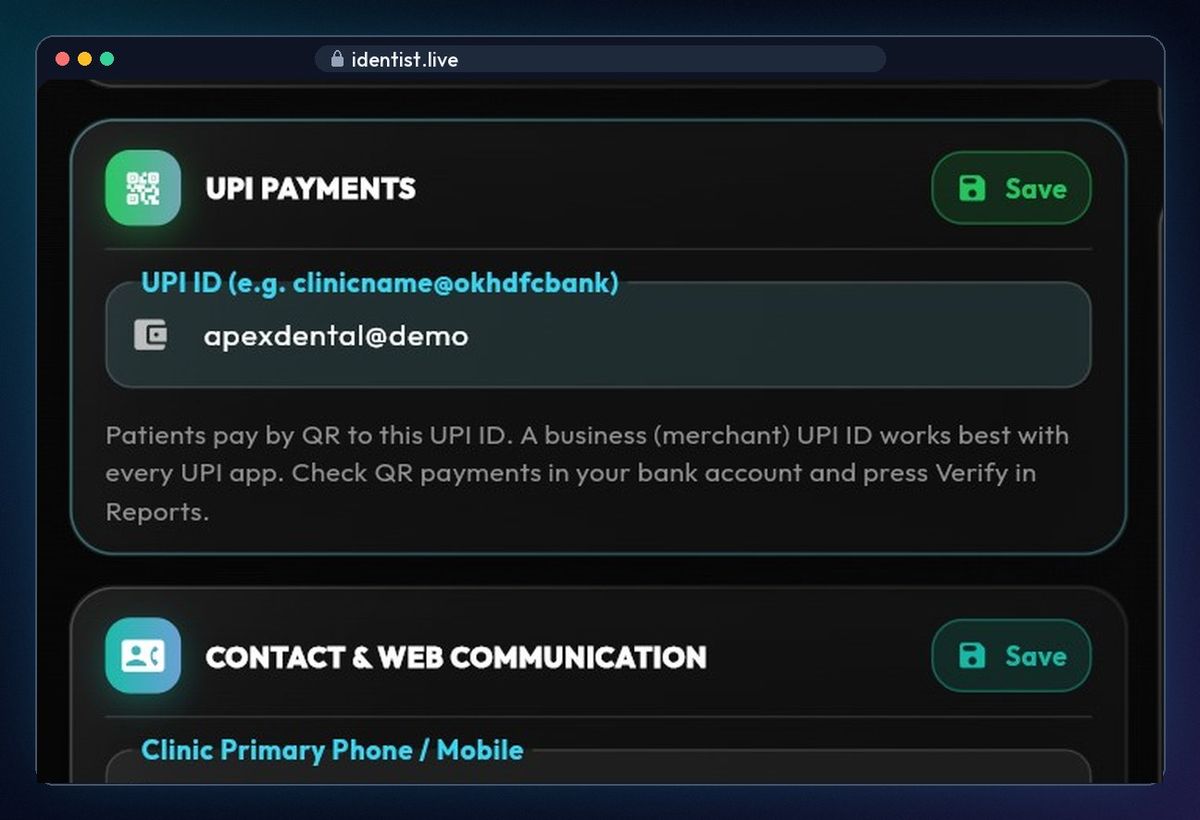
Add your clinic's UPI ID
In UPI payments, enter your clinic's UPI ID. Every QR code your patients scan pays into this account. A business UPI ID works best.
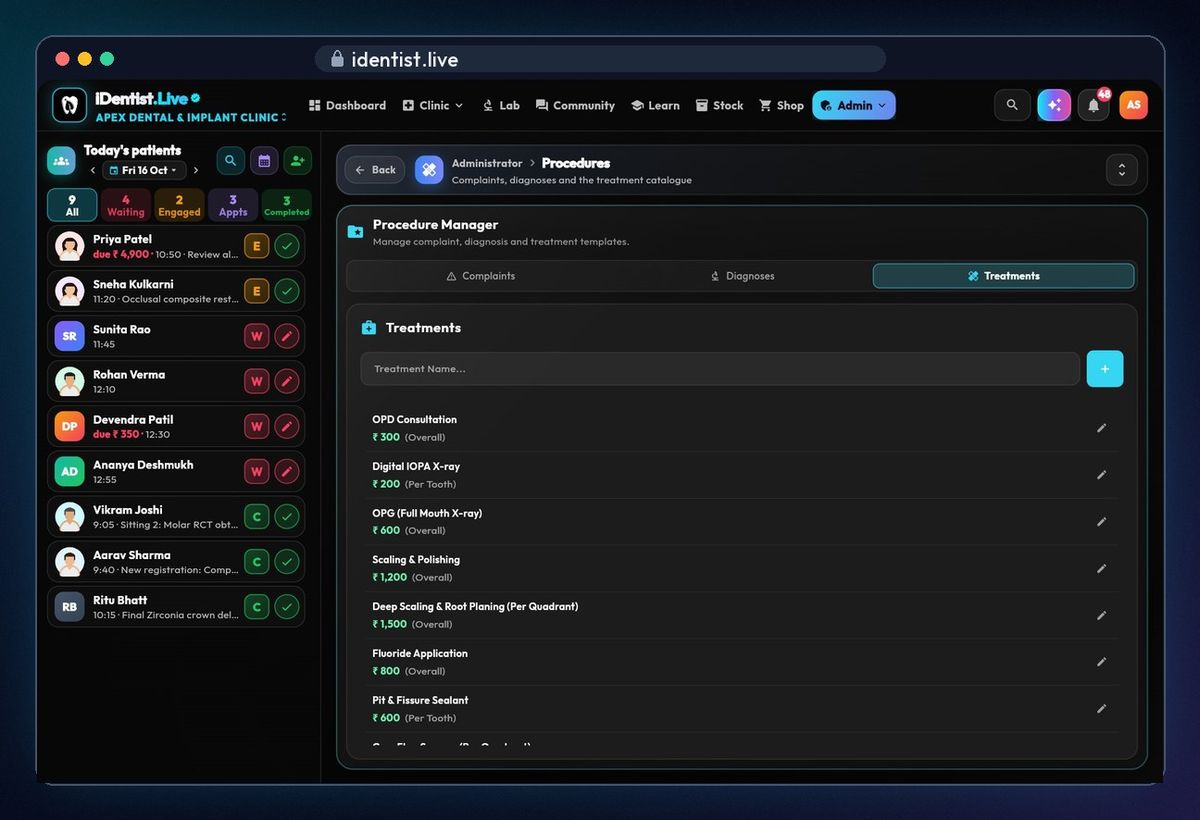
Check your price list
Admin › Settings › Procedures › Treatments: each treatment's usual charge, per tooth or overall. It fills in by itself on every bill.
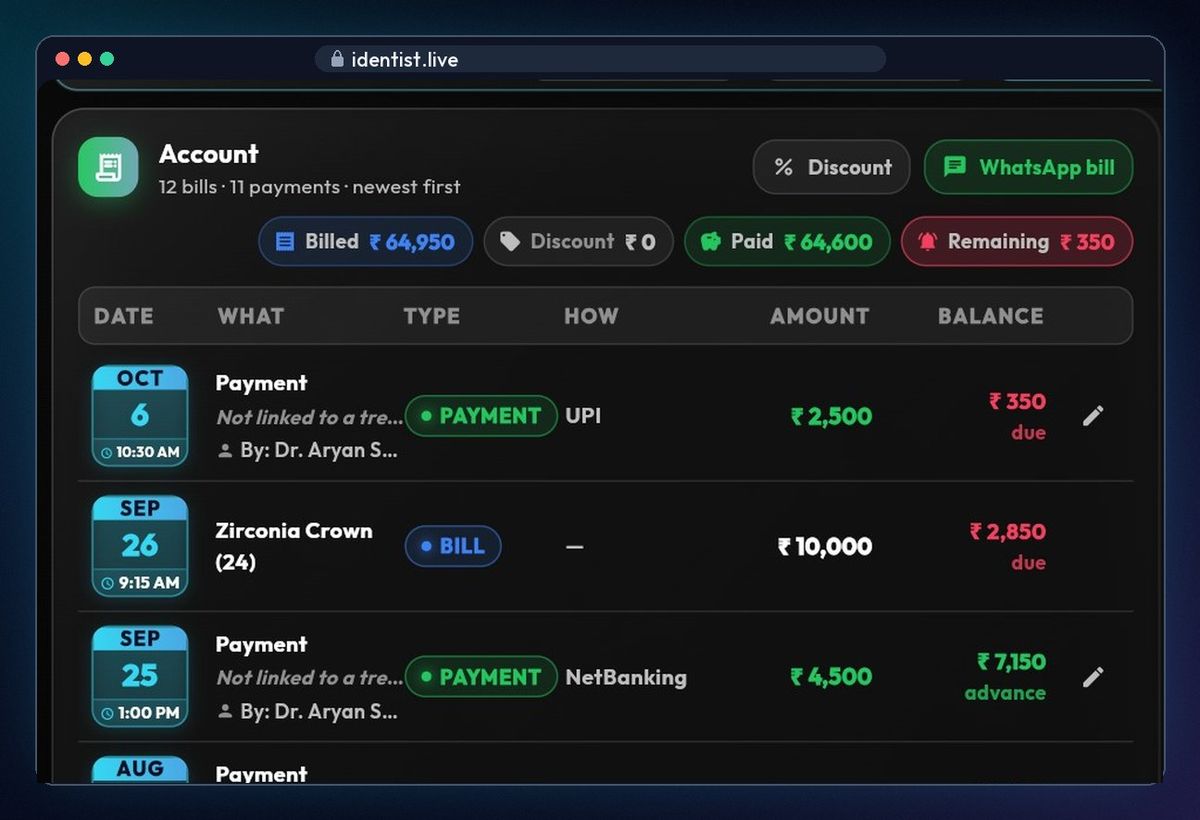
Open the account
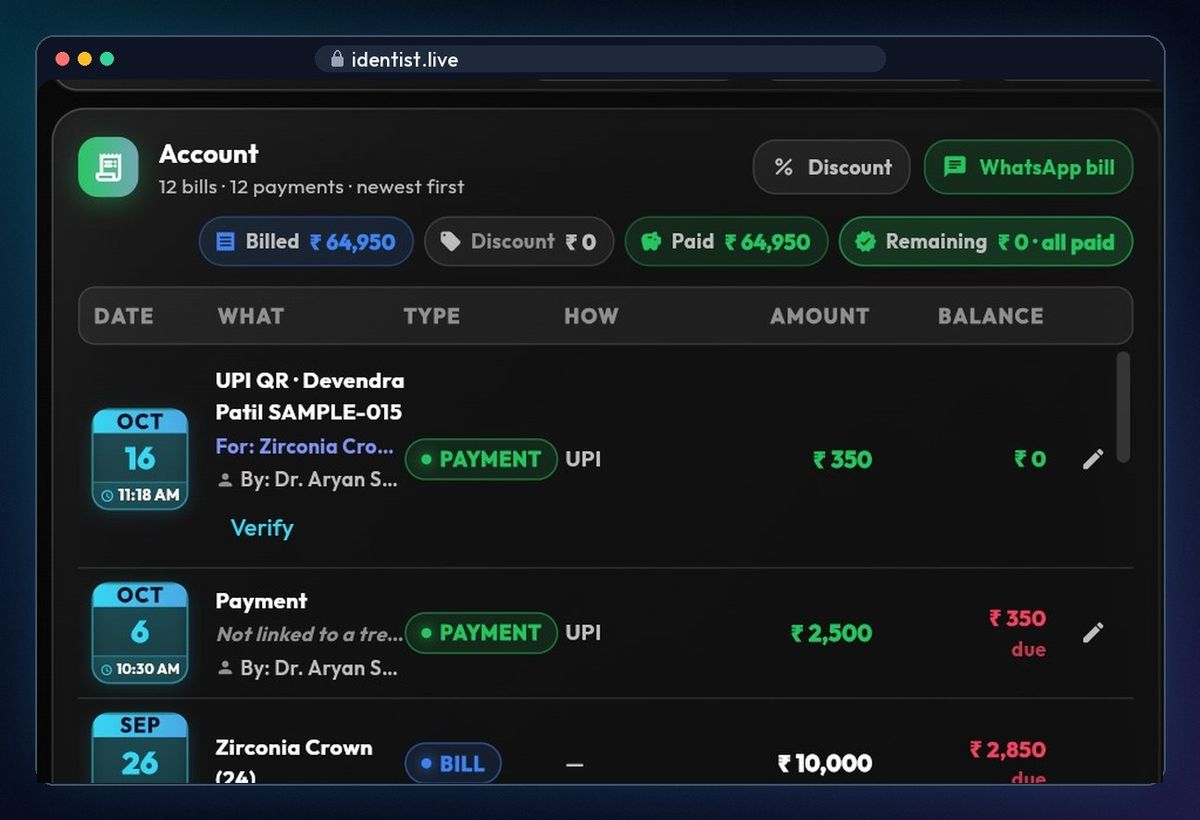
Tap Collect payment and pick the patient. The account shows billed, discounts, paid and the balance due, with every bill and payment by date.
Show the UPI QR
In Quick payment tap UPI QR: a QR with the exact amount, your clinic's name and the patient's name as the remark. The patient pays from any UPI app.
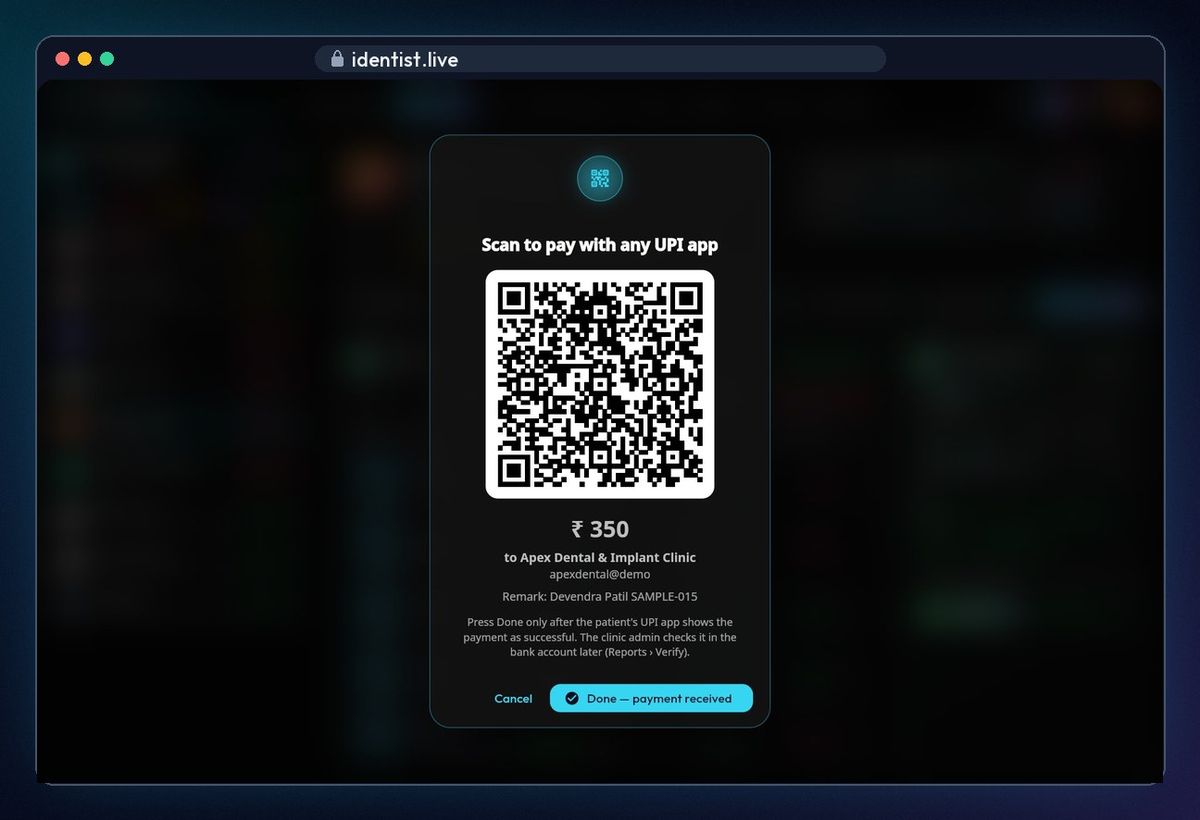
Tap Done
When the patient's phone shows success, tap Done — payment received. The payment is in the account, marked UPI QR, with a Verify link. For cash or card, pick the method and tap Mark paid.
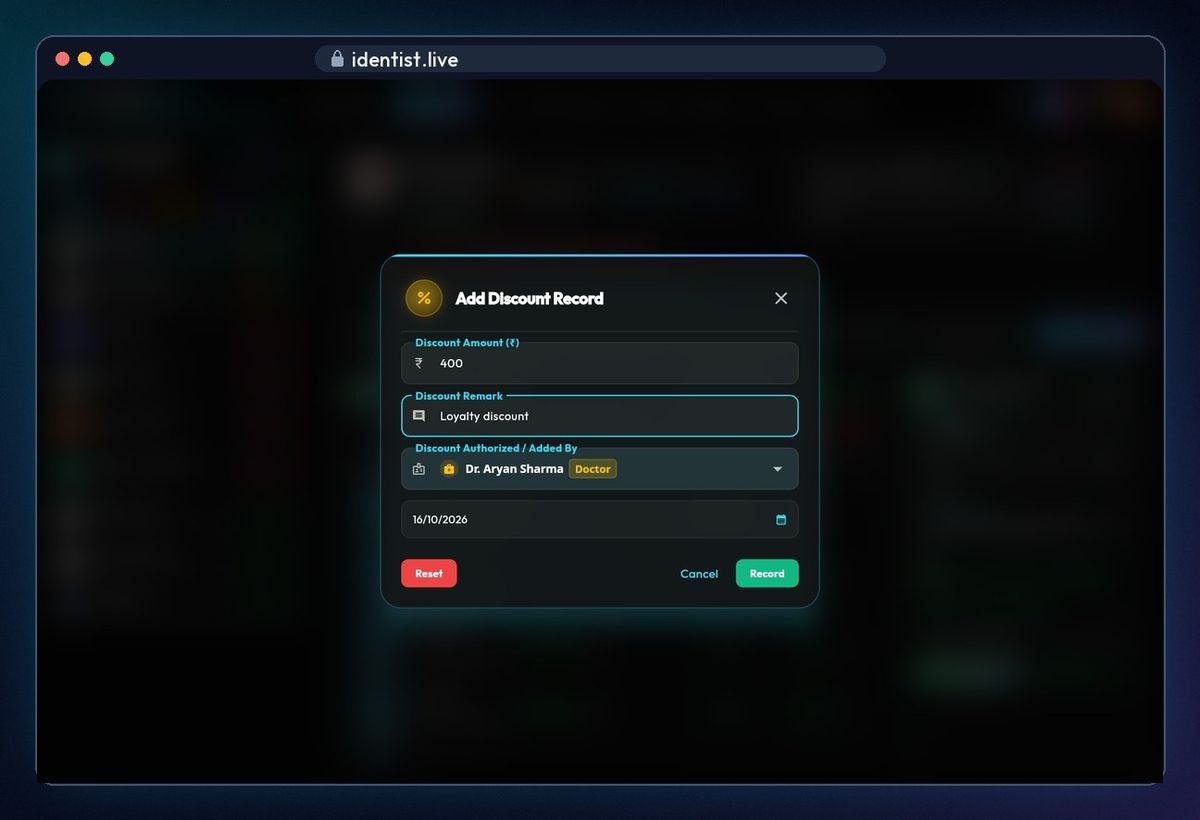
Give a discount
Open the patient › Payments › Discount. Type the amount and a reason; it's recorded with who allowed it and the date. The balance drops everywhere.
Find UPI payments to verify
Clinic › Reports › Income and billing › UPI QR to verify. Each UPI QR payment waits here until you check it.
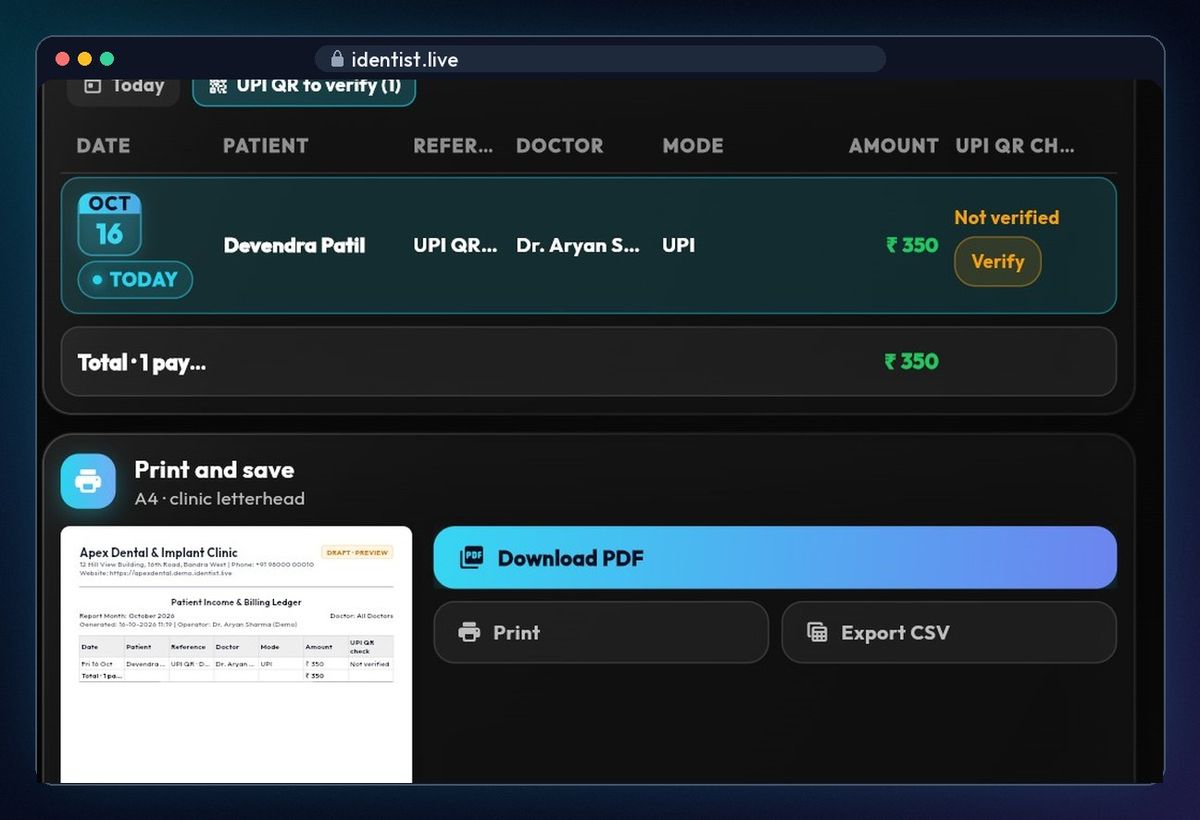
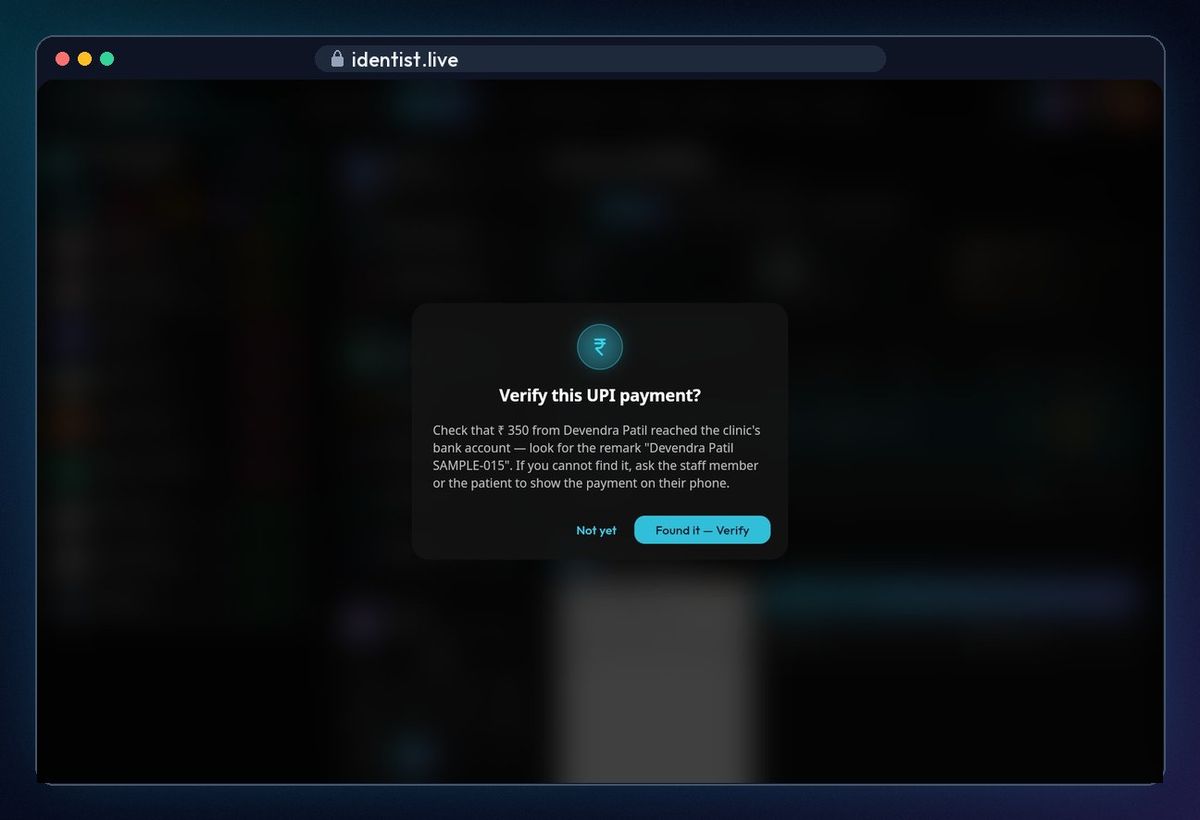
Verify it against your bank
Find the amount and the patient's name in your bank app, then tap Verify › Found it. Can't find it? Tap Not yet and ask the patient to show the payment.
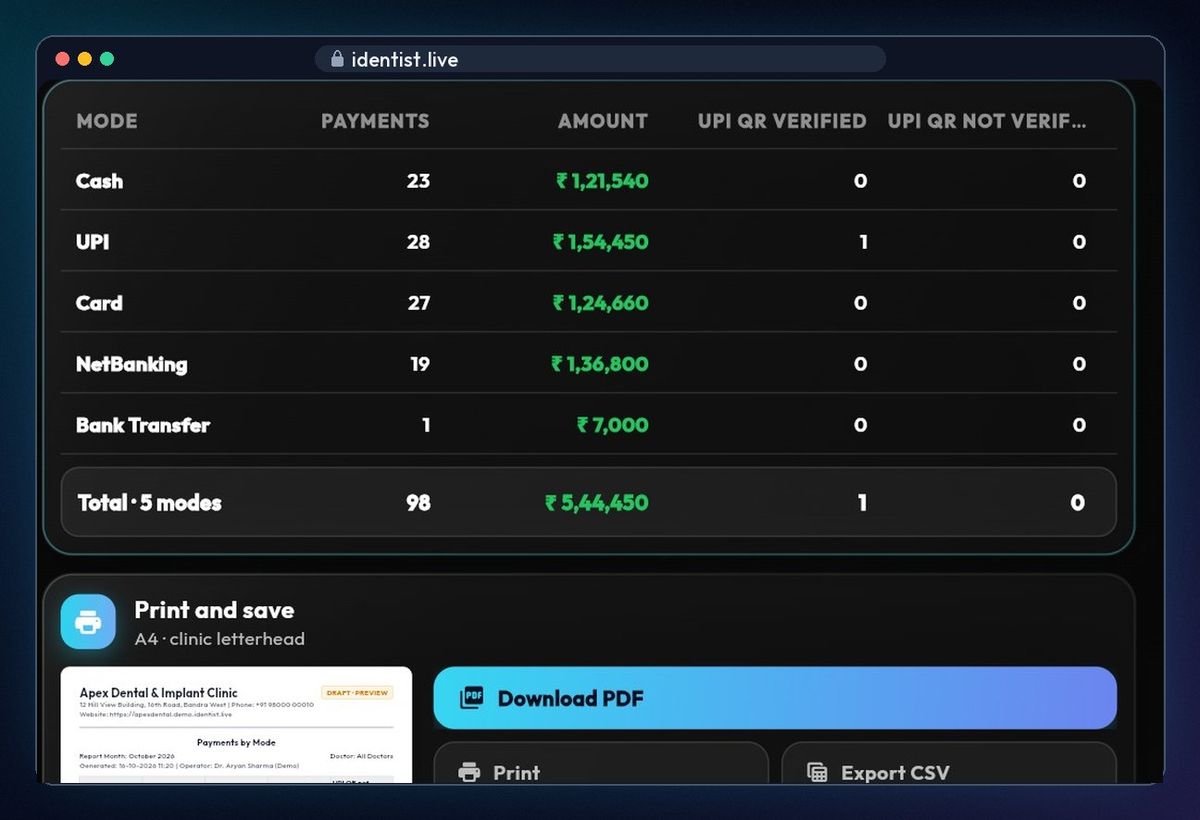
Payments by mode
See how the month's money came in — cash, UPI, card, net banking, bank transfer — with UPI payments verified and still to check.
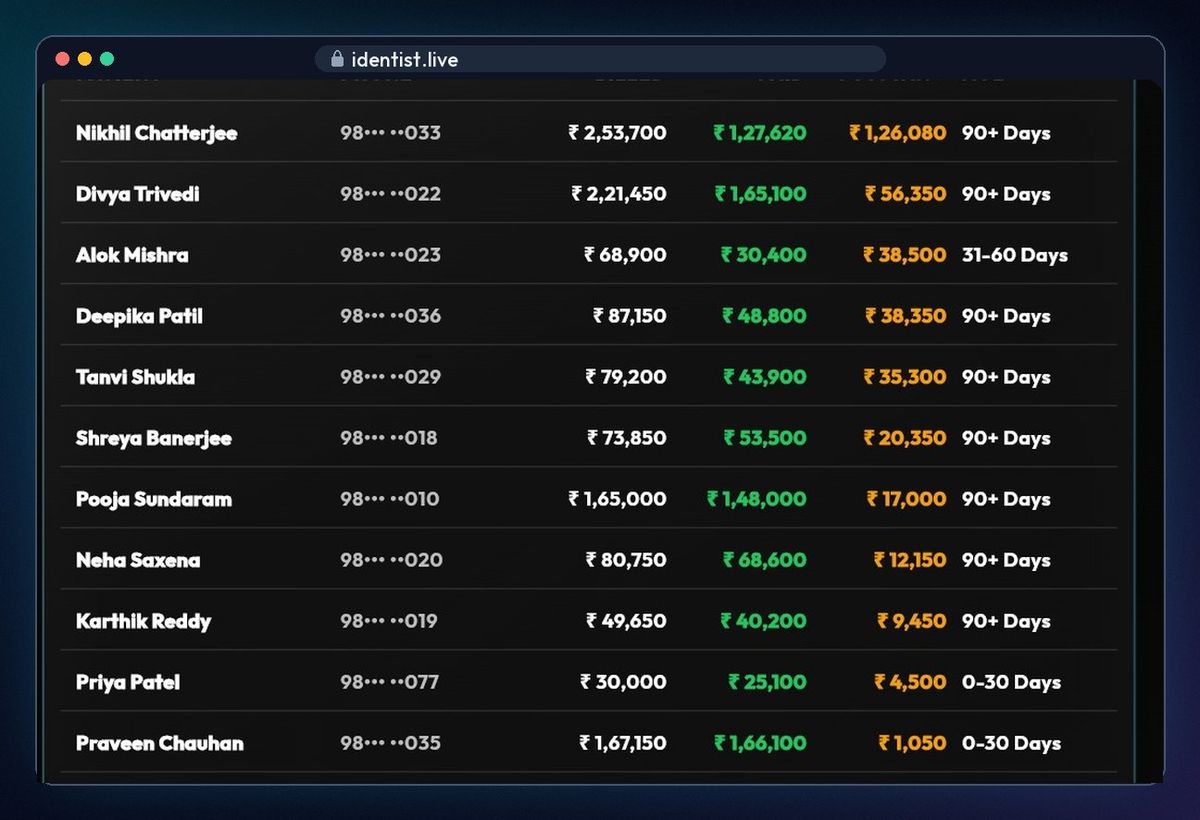
Dues by age
Who still owes you, and for how long: 0–30, 31–60, 61–90 and 90+ days. Every report downloads as a PDF, prints, or exports to CSV.
If something goes wrong
- QR not showing? Add your clinic's UPI ID in Admin › Clinic profile › UPI payments.
- Payment not in the bank? Tap Not yet, and ask the patient to show the payment on their phone.
- Not GST-registered? Leave the GSTIN blank — no GST is added. For tax questions, ask your accountant.
Questions people ask
Does iDentist.Live take a cut of UPI payments?
No. Patients pay straight into your clinic's own UPI account.
Can I export for my accountant?
Yes. Every report downloads as a PDF on your letterhead, prints, or exports to CSV.
Is it free?
Yes. The main app is free, and always will be.
More how-to guides
 1:17Use it on the webAny computer, nothing to download
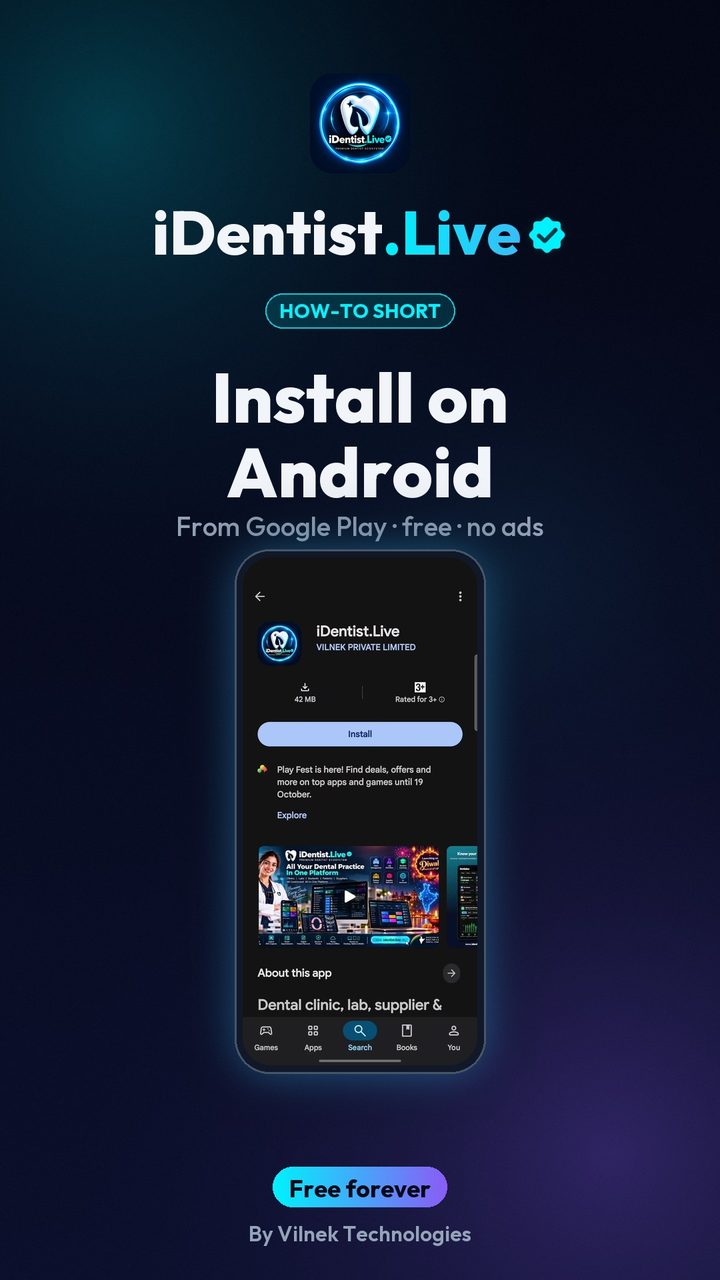 0:43Install on AndroidPhone or tablet, from Google Play
 5:16The patient fileChart, plan, prescriptions, X-rays, payments
 2:41Lab worksSend a case, every stage live
 1:56Appointments and chairsBook without clashes, check in
 1:44Stock and restockingLow stock, counts, reorder