
Lab works in iDentist.Live: clinic to lab
Send a case to your lab, follow every stage live, and keep the lab's bills in order — clinic and lab on one connected line.
▶ Plays from YouTube when you tap it — Google's privacy terms apply.
Open Lab Works
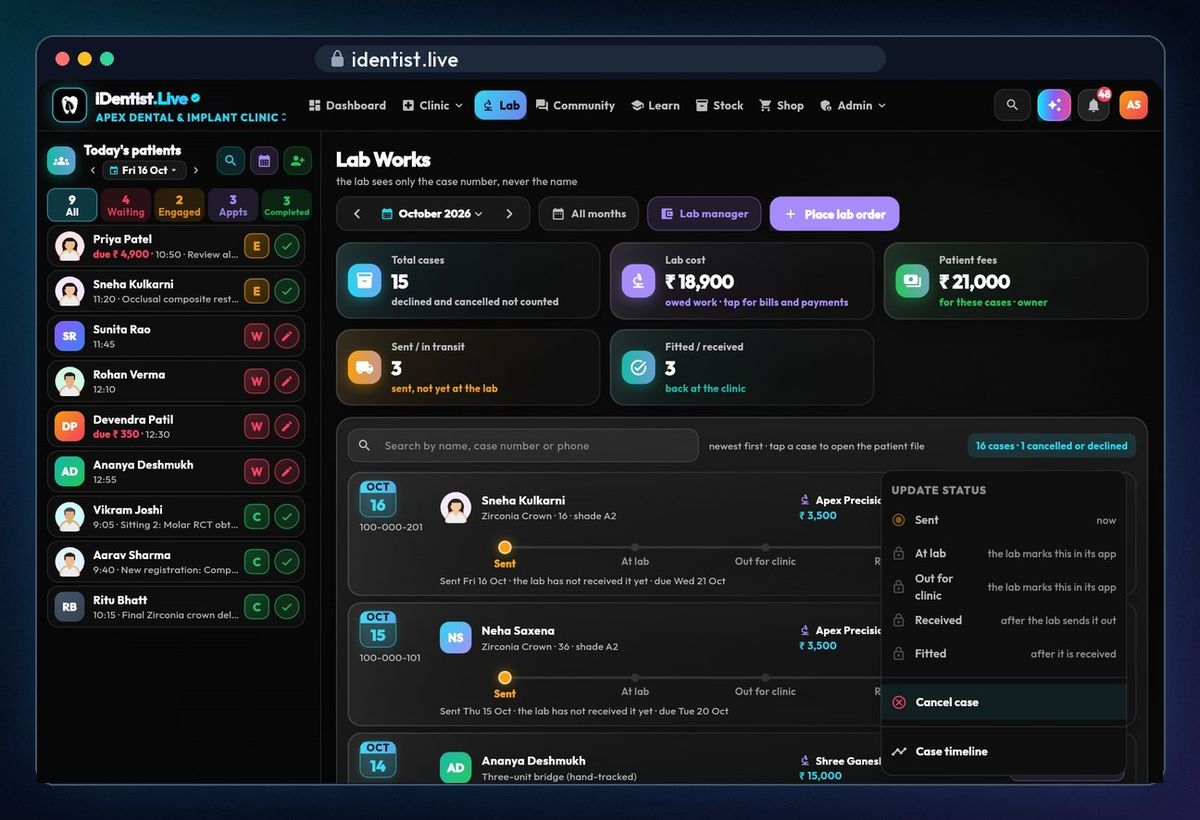
Tap Lab at the top. Every case you've sent is listed, newest first, with cards for this month's cases, what you owe the lab, patient fees, and cases on the way or back.
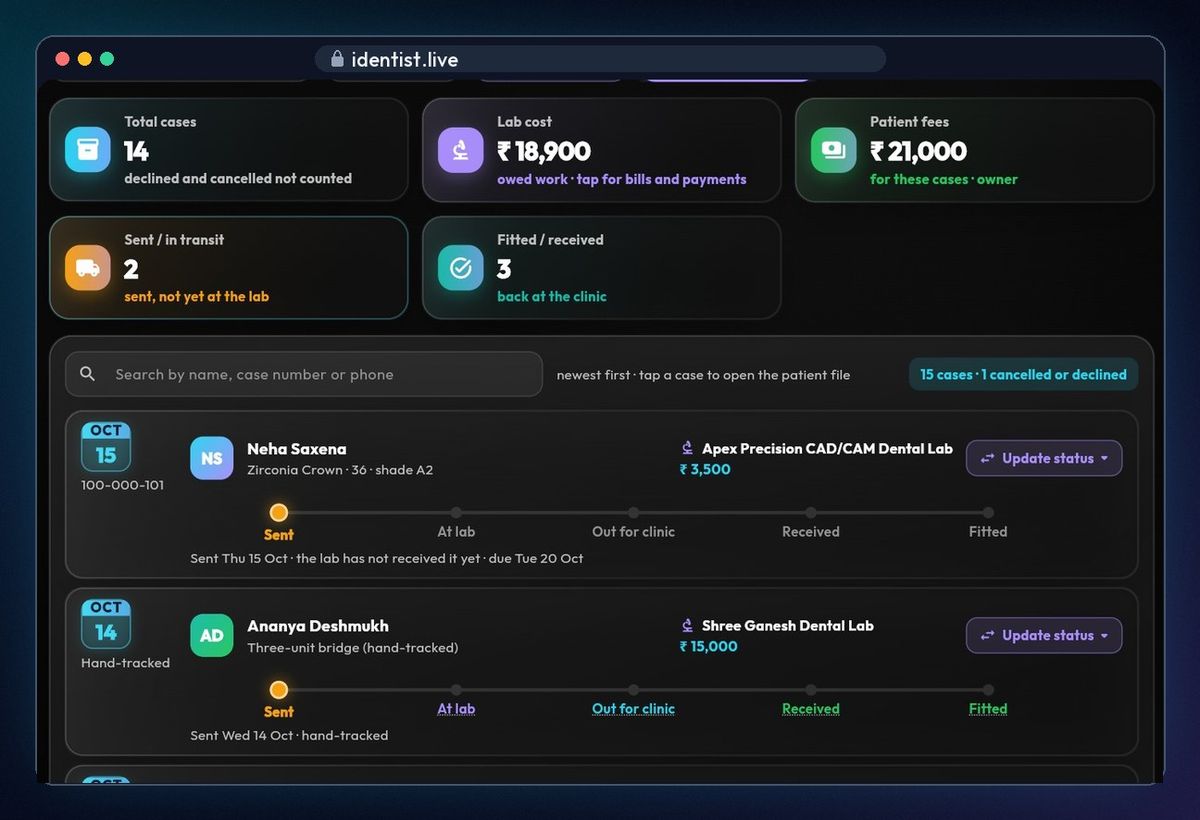
Pick the patient
Tap Place lab order and search the patient by name, file number or phone. The case gets a reference number — the lab never sees the patient's name.
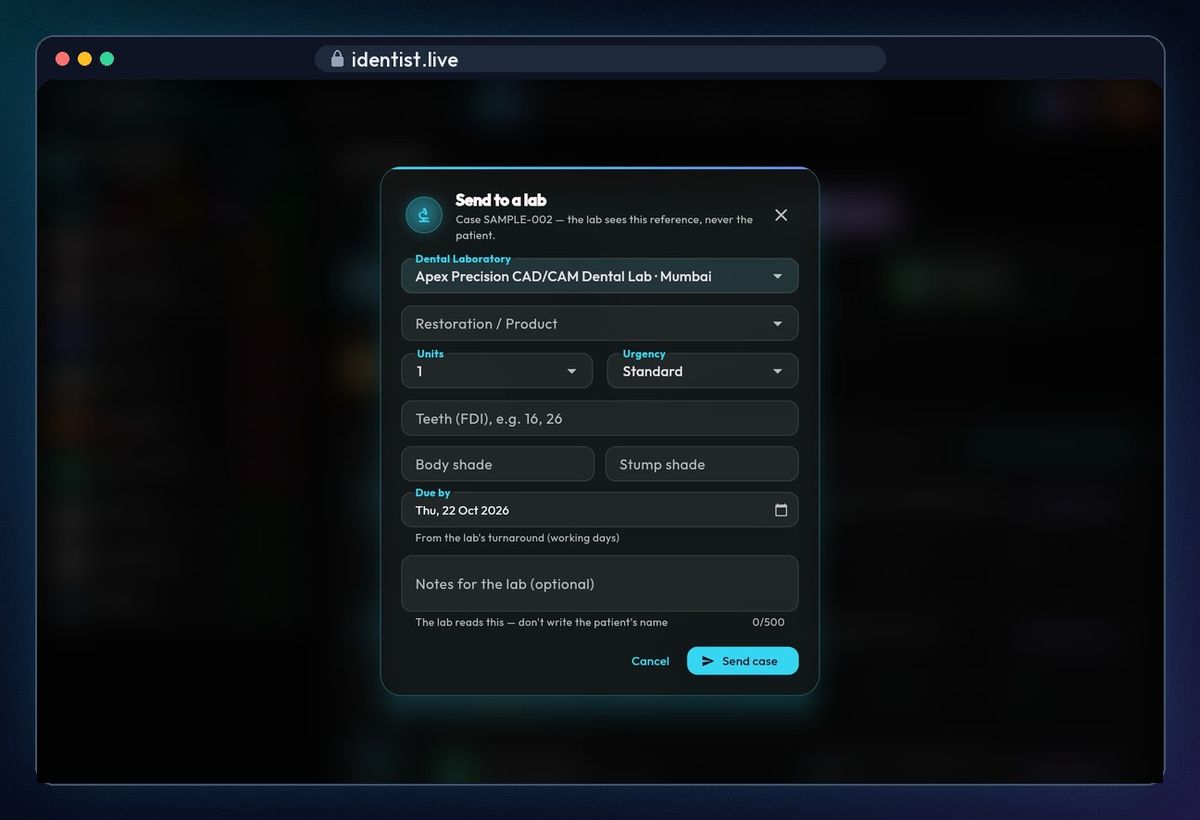
Choose from the lab's price list
Choose your lab, then the restoration from the lab's own price list, with its price and working days.
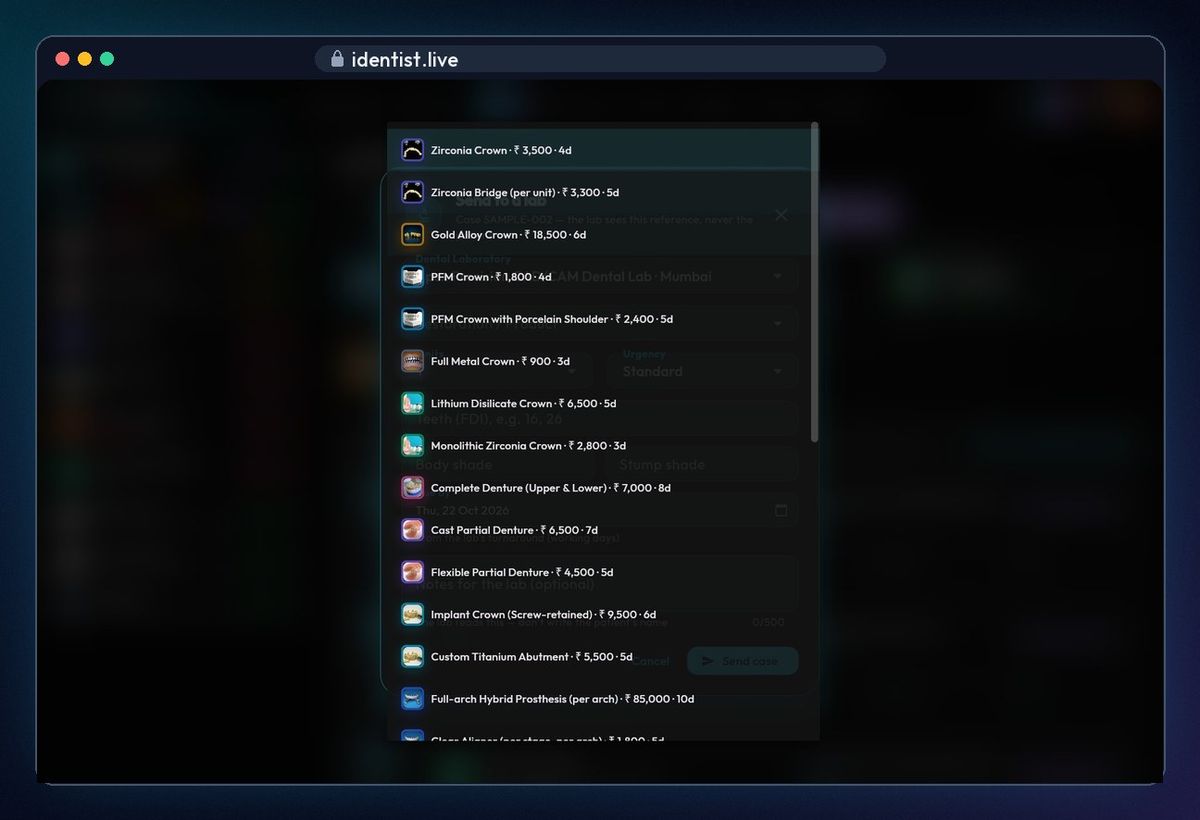
Tooth, shade and note
Add the tooth (FDI) and shade. The due date comes from the lab's turnaround. Add a note for the lab — never the patient's name.
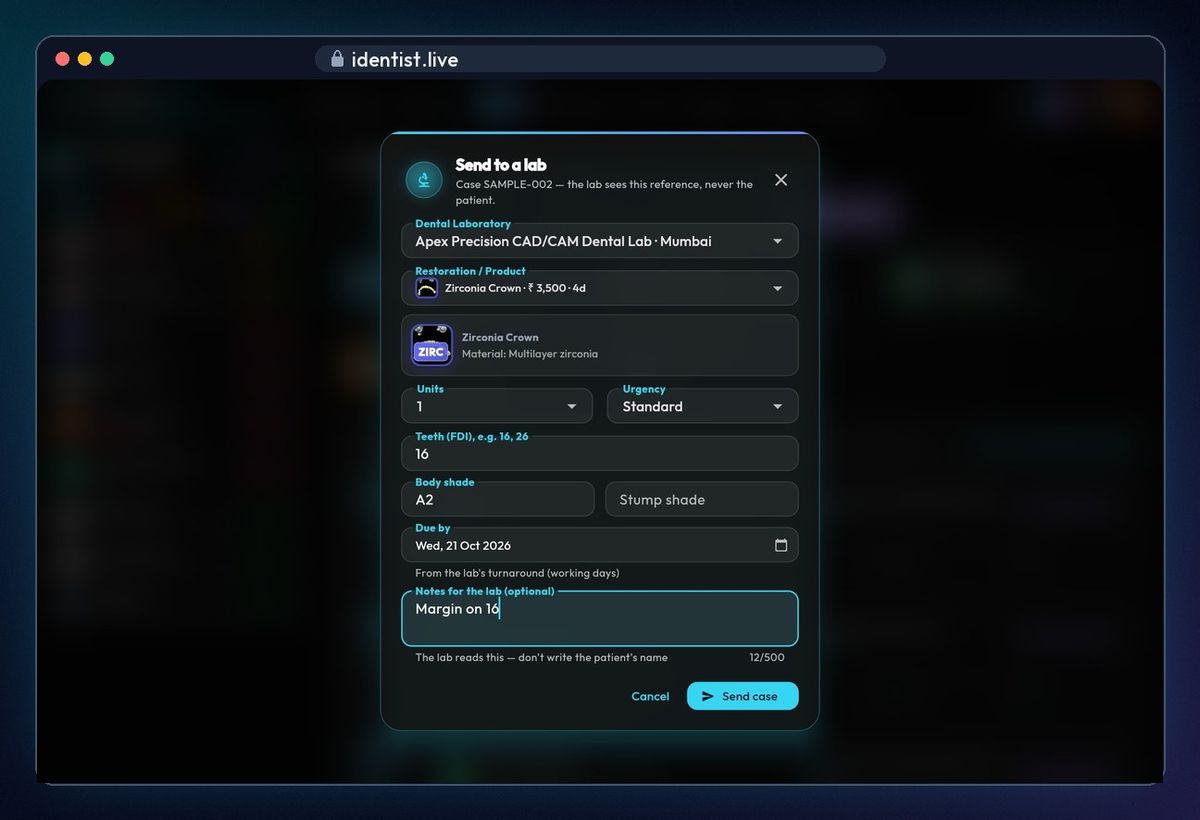
Send the case
Tap Send case. It appears at the top of your list as Sent, with its due date.
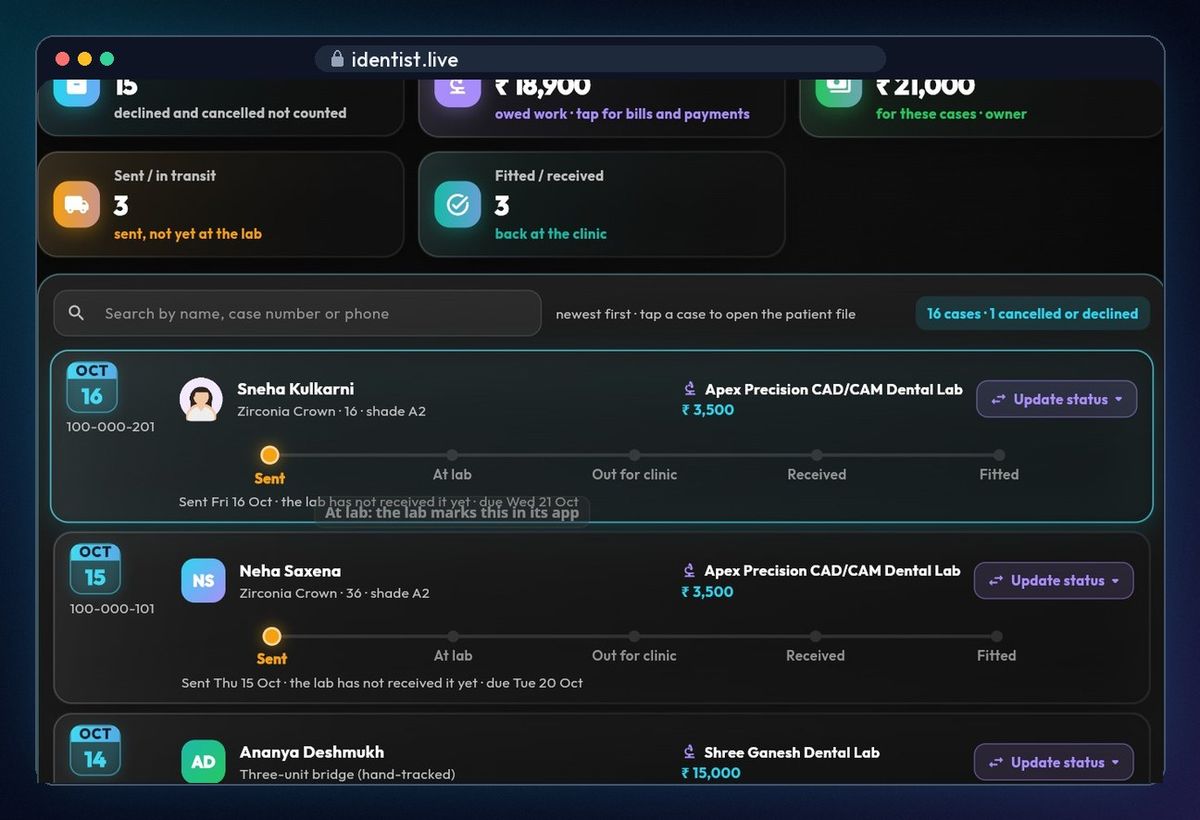
Follow every stage
When your lab uses iDentist.Live, the case moves along by itself: at the lab, out for the clinic. When it's back, tap Update status → Received → Fitted. Other labs can be tracked by hand.
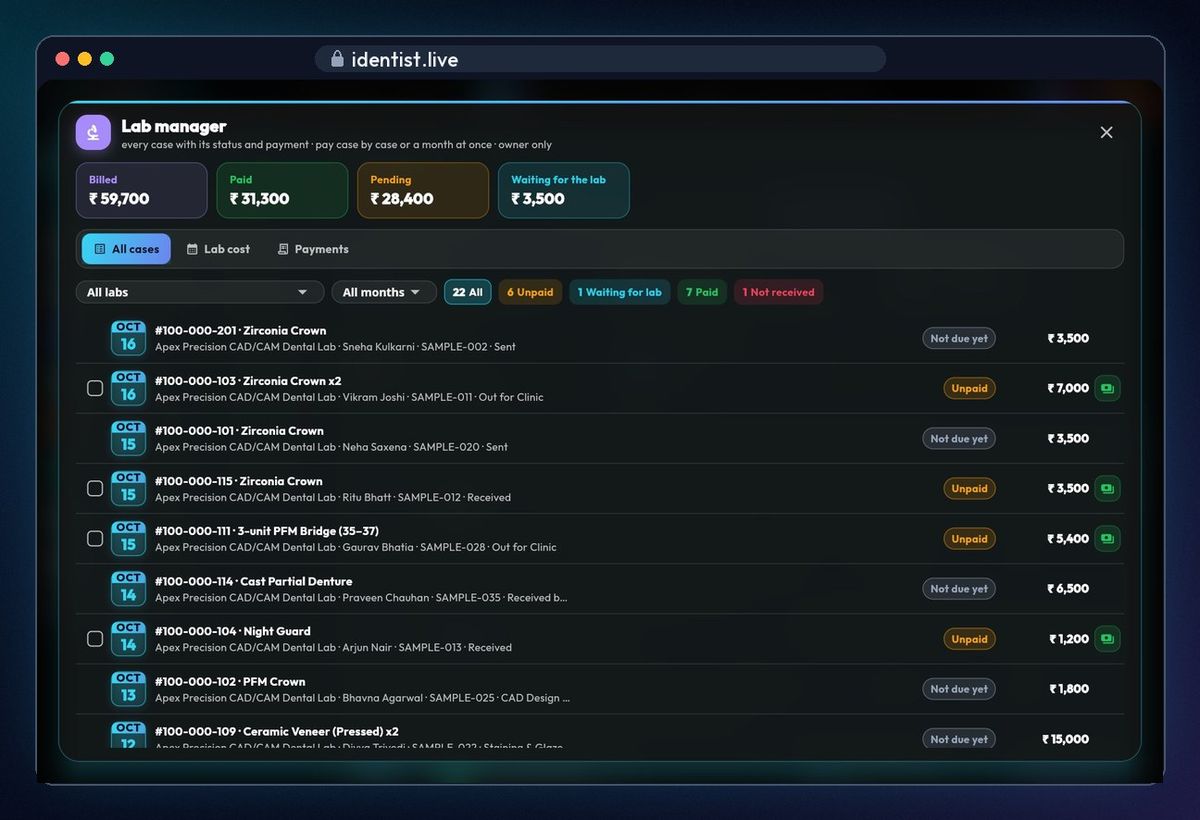
Pay lab bills together
Lab manager shows billed, paid, pending and waiting for the lab. Filter by lab or month, tick the unpaid cases, and pay them together.
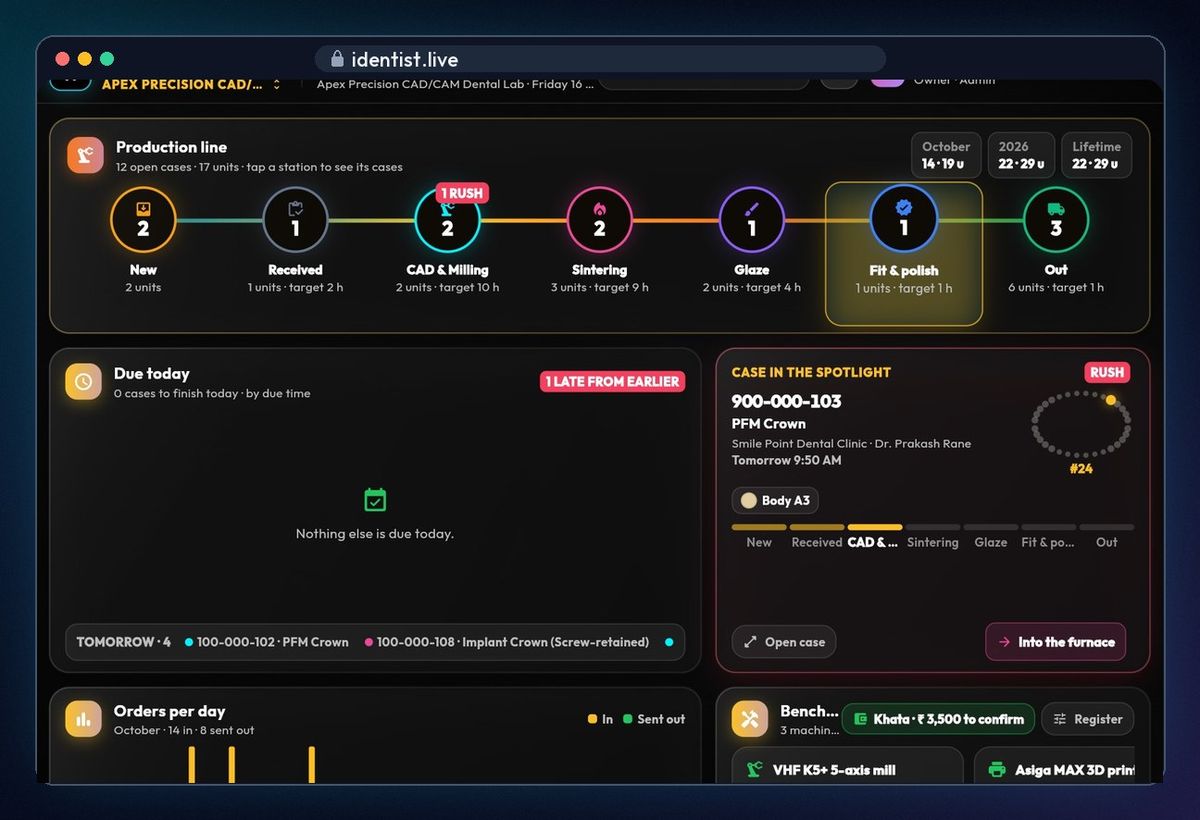
The lab's production line
On the lab's side, the production line shows how many cases are at each station, from new to out for delivery.
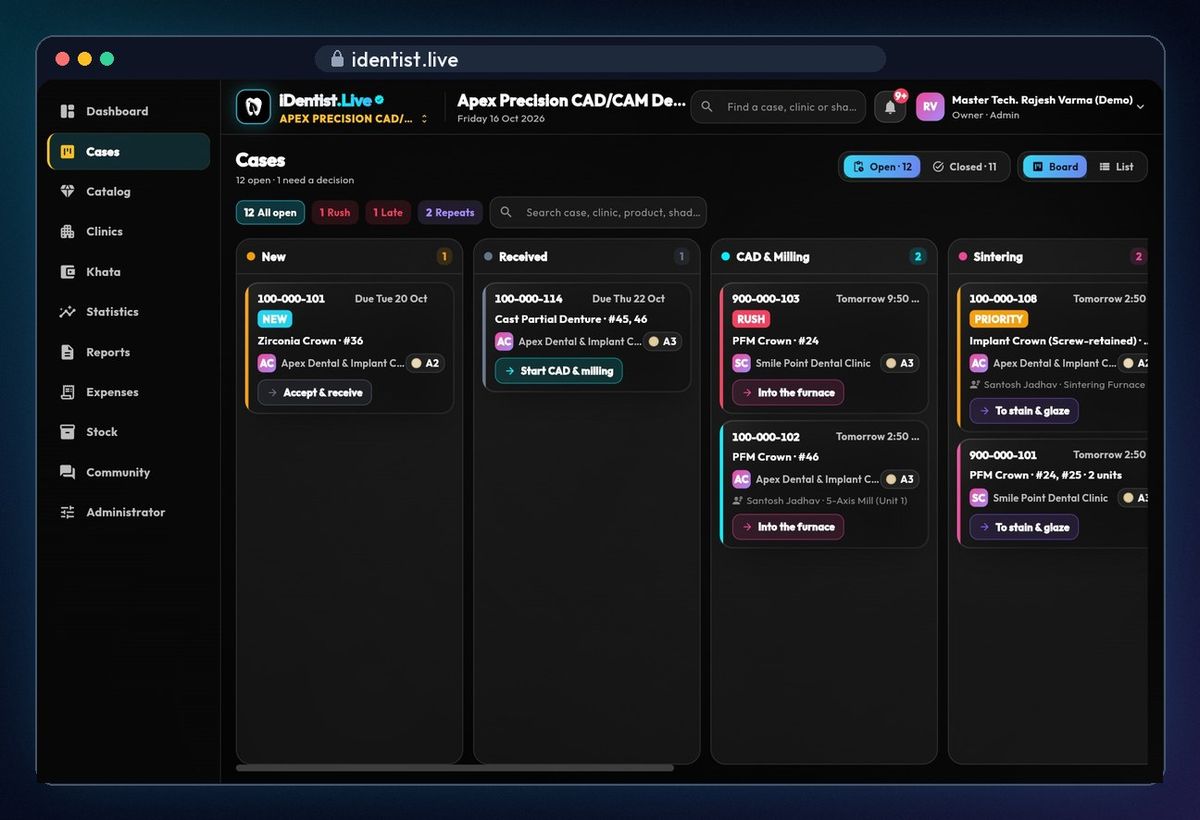
The lab's stage board
Cases sit on a board, one column per stage. A new case shows the clinic, tooth, shade and due date. The lab taps Accept & receive.
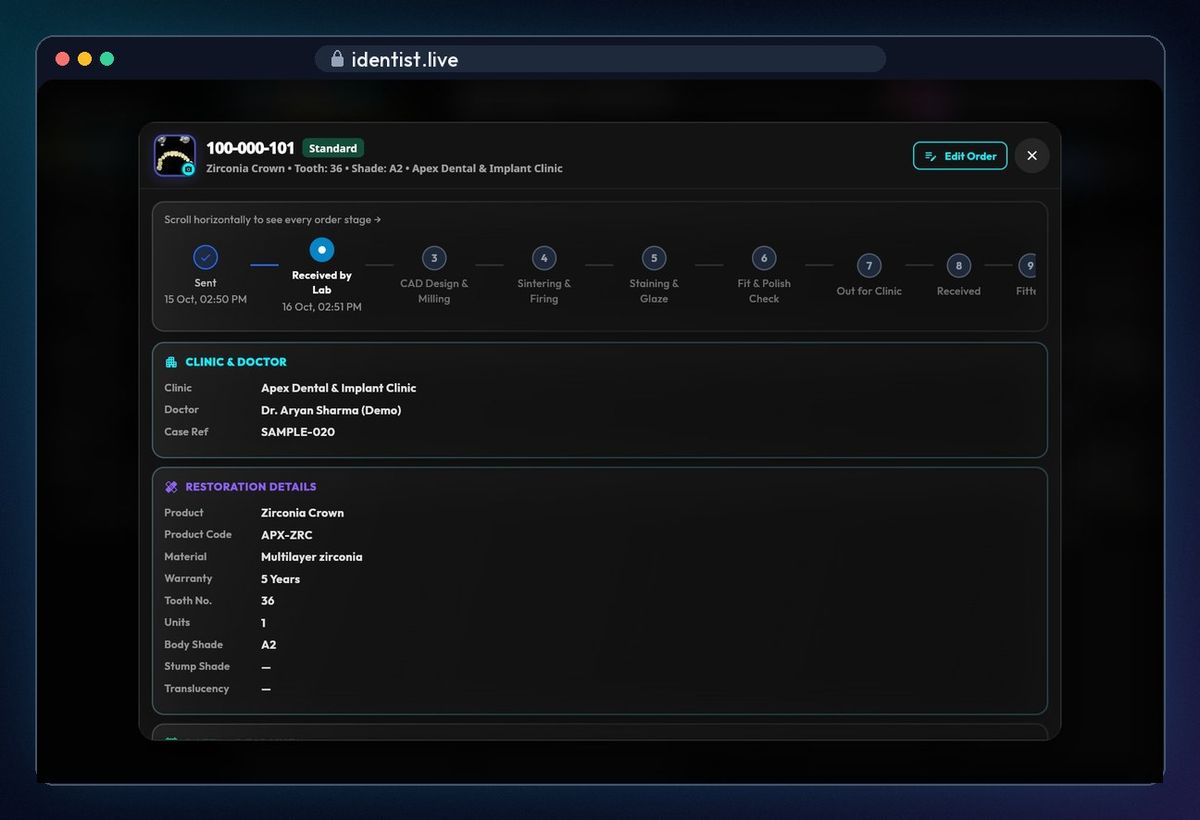
Case details
Every stage with its time, the clinic, the doctor and the restoration details. Khata keeps the lab's bills and payments with each clinic.
If something goes wrong
- Your lab isn't listed? Add it under Admin › Settings › Labs; it can join iDentist.Live later and claim its page.
- No price list for the lab? Labs on iDentist.Live publish their own; for others, type the price yourself.
- Case not moving? Labs not on iDentist.Live are tracked by hand — use Update status.
Questions people ask
Does the lab see my patient's name?
No. The lab sees only the case reference number.
Does my lab have to pay?
No. iDentist.Live is free for labs too.
Is it free?
Yes. The main app is free, and always will be.
More how-to guides
 1:17Use it on the webAny computer, nothing to download
 0:43Install on AndroidPhone or tablet, from Google Play
 5:16The patient fileChart, plan, prescriptions, X-rays, payments
 3:47Bills, GST and UPITake payments and check every rupee
 1:56Appointments and chairsBook without clashes, check in
 1:44Stock and restockingLow stock, counts, reorder